




Key Takeaways
- Focus on best rated children language apps that mix play, speech, and repetition, because tap-only language apps usually fade after the first few sessions.
- Prioritize apps that don’t expect kids to read instructions; for ages 2–8, audio-led guidance and simple visuals keep practice going without adult pressure.
- Look for communication practice, not just screen tapping. A strong mobile language app should help children speak aloud, hear pronunciation, and reuse words in short game loops.
- Check safety first: ad-free design, kid-safe settings, and private speech features matter more than flashy extras for families sharing one phone or tablet.
- Compare trial length, learner reports, and sibling support before paying, since the best language apps for kids should fit real home routines, not just look good in a store list.
- Match the app to the family goal: English, Spanish, French, German, or Chinese works best when the routine is short, repeatable, and easy to keep using over time.
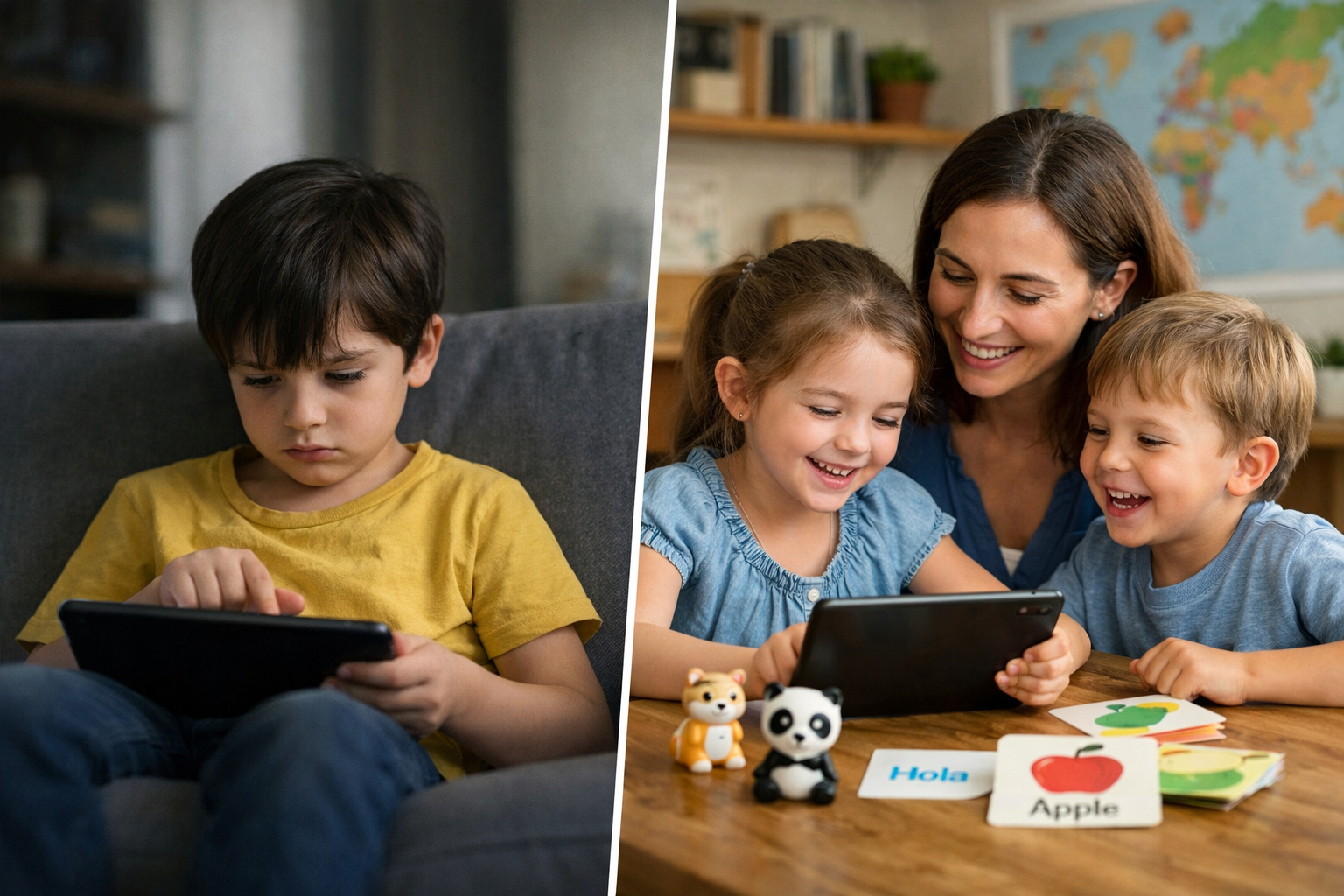
Tap. Tap. Tap. A child can spend ten minutes on a screen and still not say a single word out loud, which is why so many parents keep searching for the best rated children language apps instead of settling for another bright, noisy download.
The shift isn’t subtle. Families want more than a colorful game store icon or a long list of lessons that looks good in the app store. They want real language use: words repeated with purpose, short bursts that hold attention, and enough movement between listening, speaking, and playing that the brain doesn’t switch off. That matters even more in bilingual and multilingual homes, where the same child may hear English at breakfast, Spanish at school pickup, and French or Chinese during bedtime routines. If an app can’t fit that rhythm, it gets dropped fast.
And here’s the hard part. Tap-only learning feels busy, but it often stays shallow. A child can match pictures and still freeze when asked to say the word. They can finish a level and still not use the language at the table. Parents notice that gap quickly, especially when screen time has to earn its keep and the app lives on an iPhone, Android phone, or shared family tablet.
So the apps winning trust right now aren’t the loudest. They’re the ones that keep practice short, repeat words without boredom, and make speaking feel safe instead of scary. That’s the difference between a toy that gets opened once and a habit that actually lasts. Realistically, that’s what families are buying.
Why best rated children language apps are drawing more families in 2026 and beyond
They work better. That’s the blunt truth parents keep running into, especially when a child needs more than a screen full of taps and bright icons.
1. They get children speaking, not just swiping. The strongest apps make room for real pronunciation practice, short repeats, and tiny wins that a child can hear right away. Studycat’s VoicePlay feature is one example of how best rated children language apps can turn speech into play, which matters for kids learning English, Spanish, French, German, or Chinese.
2. They feel safe enough for daily use. Parents are asking for the best ad free language apps for kids and the best safe language apps for children because ads, pop-ups, and weird content break trust fast. A kid-safe app with no ads and clear privacy rules gets used more often. That’s not marketing fluff. It’s basic.
3. They fit short attention spans. The best best educational language apps for kids keep sessions under 5 minutes, then move to a new game, song, or story. That short loop matters. It keeps screen time from turning into a fight, and it helps the brain hold on to vocabulary through repetition.
Not complicated — just easy to overlook.
4. They reward practice without needing a reading parent in the room. No reading required. No long setup. Just audio cues, clear visuals, and a path a 3-to-8-year-old can follow alone. That’s why the best language game apps for children are winning more family time on the phone, iPhone, or tablet.
5. They make repetition feel like play. A child can hear a word 10 times in one long, portable training session and not notice the work. Short game loops do that. Quietly.
Reason 1: Strong children language apps teach through play, not pressure
What makes best rated children language apps pull ahead? They don’t ask a four-year-old to sit still and “study.” They turn screen time into play time, and that changes everything for bilingual and multilingual homes. A child stays with a game longer than a flashcard drill. That’s the honest answer.
Tap-only rivals usually stop at recognition. The stronger best educational language apps for kids repeat the same words in short bursts, then bring them back in a new form a few minutes later. A child hears apple, taps apple, sings apple, then spots it in a story. That repetition works better because the brain likes pattern, not pressure.
Games that repeat words without feeling repetitive
Good best language game apps for children use quick turns, clear rewards, and tiny goals. In practice, a 7-minute session can cover 8 to 12 words without a single lecture. That’s why kids come back tomorrow. Not because they were told to. Because they want the next round.
Songs, stories, and movement cues that stick in a child’s brain
For families looking for the best safe language apps for children, the mix matters: audio, motion, and simple story lines help children remember phrases like “put it on” or “let’s play” faster than tapping alone. A child who hears, sings, and acts out language is building communication, not just taps on a phone or ipad. That’s real training.
And that’s where most mistakes happen.
Why play-based learning helps bilingual and multilingual homes keep going
Parents also search for the best ad free language apps for kids because calm, ad-free play is easier to keep up with after a long day. No pressure. No junky pop-ups. Just a small routine that fits a family’s time, whether the goal is Spanish, French, German, Chinese, or English. And when the child sees the same words at dinner, in a story, and again in a game, the language starts to stick.
That’s the part tap-only apps miss.
Reason 2: The best language apps for kids don’t assume children can read
A parent opens a new app on a phone, and the child starts tapping before anyone’s finished explaining. That’s the point. The best rated children language apps don’t wait for reading skills to show up first; they lead with sound, pictures, and repetition, which is how a 3-year-old or a 6-year-old actually learns.
Audio-led design for ages 2–8
In practice, an audio-led app works because it removes the need for decoding text. A child hears play, sees the cue, and responds. That matters in mixed-age homes, where one sibling may be doing English training while another is still learning Spanish or French words through play, not screens full of instructions.
Visual prompts, simple controls, and zero reading required
Short labels. Big icons. One tap. That setup keeps the brain focused on the language game instead of the mechanics of the phone or tablet, which is why parents looking for the best safe language apps for children often end up prioritizing design over flash. The same is true for the best ad free language apps for kids, best educational language apps for kids, — best language game apps for children—they don’t bury learning under menus.
Here’s what most people miss: if a child can’t read the prompt, the app is asking the parent to do the teaching. That slows everything down. And it turns screen time into a startup problem no family wants at 7 p.m.
Why this matters for mixed-age households and early learners
For a household with two learners, one portable device, and limited time, zero-reading design cuts friction fast. It also supports children who aren’t ready for long-distance attention spans yet (yes, even the child who only wants to play and then sell the idea to the next sibling). That’s why the best rated children language apps feel usable on day one.
This is the part people underestimate.
Reason 3: Speaking practice is changing what parents expect from a mobile language app
Short taps used to pass for practice. Not anymore. Parents using the best rated children language apps are asking a sharper question: will the child actually say the word out loud?
Why tap-only apps miss the hardest part of language learning
Tap-only games can build recognition, sure. They can’t train the mouth, the ear, and the brain together (that’s the part kids usually skip). In practice, a child may know 20 animal words on screen and still freeze when asked to speak them.
That gap matters in bilingual homes, especially with English, Spanish, French, German, or Chinese. A child needs repetition, — also a chance to hear a sound, copy it, and try again without pressure. Tap-only apps stop at the first step.
- Recognition: matching picture to word
- Recall: saying the word without a prompt
- Communication: using the word in a real exchange
Voice feedback and pronunciation practice for English and Spanish
VoicePlay™ is where the shift gets real.
In English and Spanish, kids can speak to play, get immediate feedback, and hear whether a sound landed right. That’s a different kind of mobile language app — one that treats speech as part of the game, not extra homework.
It’s a small distinction with a big impact.
For families comparing the best ad free language apps for kids and the best safe language apps for children, that matters. So does the fact that the best educational language apps for kids and the best language game apps for children keep practice short, friendly, and ad-free while giving parents something closer to real training than screen tapping. Studycat’s team built that speaking layer for early learners, and the difference shows fast.
What real-time speaking adds to confidence and communication
Here’s the blunt part: kids don’t gain confidence by waiting. They gain it by trying, failing, and trying again in under 30 seconds. Real-time feedback turns language from a store of words into a tool for communication.
That’s why the best rated children language apps are winning over tap-only rivals. They ask less about perfect spelling and more about whether a child can actually play, respond, and speak. That’s the test that lasts.
Reason 4: Safety, privacy, and ad-free use matter more than flashy extras
Write this section as if explaining to a smart friend over coffee — casual but accurate — specific. The best rated children language apps aren’t winning because they look busy on a phone screen; they’re winning because families trust them enough to let a child open them twice a day, every day. That trust starts with ad-free design, kid-safe lists, and a clean store experience that doesn’t shove pop-ups at a child mid-game.
Kid-safe design and why families check this first
Parents checking the best safe language apps for children usually want three things: no ads, no surprise links, and no pressure to buy more stuff. That’s not a small ask. It’s the difference between a screen that teaches and a screen that trains kids to tap fast.
In practice, the best educational language apps for kids keep the focus on repetition, voice, — play. A child hears a word, says it, then sees it again in a new game. That loop works better than flashy extras, and it keeps the brain on the language, not on the noise.
On-device speech processing and what it means for privacy
For families using speech features, on-device processing matters. It means the app can check pronunciation without sending voice data off the phone or tablet, which is a big deal for households that are careful with iPhone and Android permissions. Short version: less sharing, fewer worries.
This is the part people underestimate.
Why parents are choosing apps that avoid ads, pop-ups, and loose screen habits
That’s why the best ad free language apps for kids keep showing up in family lists. The best language game apps for children, like best language game apps for children, pair simple screen habits with real practice, so a 10-minute session doesn’t turn into a 40-minute scroll. The honest answer is that parents don’t need more noise. They need a clean app, steady routines, and a child who wants to play again tomorrow.
And yes, that still matters in 2023, when every store is crowded with app choices, free trials, auto-start distractions, and budget apps that look fine until the first pop-up lands. Safety wins. Every time.
Reason 5: Progress tracking helps families see whether the app does what it promises
Only 1 in 4 families checks progress after the first week, and that’s where a lot of apps quietly fail. A child taps, laughs, moves on, and the parent still doesn’t know if the app is building memory, speech, or just screen time. That’s why the best rated children language apps lean on reports, not guesses.
Weekly reports, learner profiles, and home routines that actually hold up
Short weekly reports make the learning visible. A parent can see whether a child practiced a word set, finished a game, or kept returning to the same language on the mobile app, which matters more than a flashy store rating. In practice, the best educational language apps for kids show enough detail to answer one blunt question: what did the child really learn?
For bilingual homes, that matters even more. A smart routine might be 10 minutes after dinner, then a quick review on the phone or iPhone the next day. Repeat it three times a week and the brain starts to hold onto the sounds.
How progress visibility supports busy households and sibling sharing
Multiple learner profiles stop siblings from mixing up progress. That’s a small feature on paper, but it saves real friction when one child is older, one is just starting, and both want the same app on Apple or Google devices. The best language game apps for children make it easy to tell who played, who paused, and who needs more training.
For families comparing the best ad free language apps for kids and the best safe language apps for children, progress visibility is part of safety too. No ads. No guessing. Just a clean screen and a clear record.
The short version: it matters a lot.
What to look for in a budget-friendly subscription before the trial ends
Before a free trial ends, look for three things: report detail, profile limits, and whether the plan works across phone and tablet. The best rated children language apps don’t hide the basics behind a long setup. They show what’s working, what isn’t, and whether the monthly price is earning its keep.
That’s the real test. Not the first five minutes. The second week.
What makes the best rated children language apps different from free-only or tap-only rivals
The best rated children language apps don’t just keep a child busy. They make the child speak, listen, repeat, and come back tomorrow without a fight. That’s the difference.
- They teach, not just tap. Tap-only play can look busy on a phone screen, but it doesn’t build much communication. The best language game apps for children use short rounds, audio prompts, and repetition that trains the brain for real recall.
- They earn trust before payment. Parents should test a free version or trial first, then watch how the app handles one week of use on an iPhone or Android device. If a child still wants to play on day 7, that’s a better sign than any store list ranking.
- They stay calm and ad-free. The best ad free language apps for kids remove distractions that break focus and pull young learners into random streaming-style clutter. Less noise. More play.
- They protect kids and keep things age-fit. Families comparing the best safe language apps for children should look for plain safety language, clear privacy rules, and no forced reading. A 4-year-old shouldn’t need training wheels to use the app.
- They go beyond vocabulary dumps. The best educational language apps for kids mix play, songs, and speech practice so the work feels portable, not like homework. That’s what holds attention over time.
Free access, trial periods, and what parents should test before paying
Start with one simple question: does the child ask for it again after 10 minutes? If the answer is yes, the app may be worth the budget. Parents should check voice prompts, progress tracking, and whether the app works cleanly across phone and tablet before the trial ends.
Devices, mobile use, and how iPhone and Android households stay in sync
Mixed-device homes need a subscription that follows the child, not the hardware. The best rated children language apps handle that without friction, which matters in households that swap between Apple and Android all week.
Why language apps for kids need depth, not just a long store list
A long app store list can look impressive. It isn’t the same as depth. Parents want the best language game apps for children that keep working after the first month, not a free download that gets abandoned by Friday.
No shortcuts here — this step actually counts.
How to compare children’s language apps by age, language, and home routine
What should a parent look for first? The honest answer is age fit, because the best rated children language apps only work when the child can use them without a long adult setup. For ages 2–4, the app should be audio-led, ad free, and built for short screen time bursts. For 4–6, more repetition and simple game play help. For 6–8, reading support, progress tracking, and longer story loops start to matter.
Studycat’s approach is a good benchmark here, and it fits the best safe language apps for children brief well because kids don’t need to read instructions to start. That matters in real homes. A child who can tap, listen, and repeat will stay with the lesson longer than one who gets stuck on text.
Best fit for ages 2–4, 4–6, and 6–8
For toddlers, choose the best educational language apps for kids with sound-first lessons, songs, and one-step actions. For preschoolers, look for 5–10 minute sessions, a clear start and finish, and repeatable vocabulary like colors, animals, and family words. For early primary learners, printable worksheets and weekly reports give parents a real check on what stuck.
English, Spanish, French, German, and Chinese: choosing by family goals
Families don’t need the same app for every language.
A home adding Spanish for daily use may want speaking practice first. A family supporting French, German, or Chinese for school readiness may care more about vocabulary depth and listening exposure. That’s why the best rated children language apps feel less like a store list and more like a fit between language goals and the child’s routine. Need speech practice? Voice-based play matters. Need quiet review on a phone or iPhone during training time? Short lessons win.
Printable worksheets, stories, and offline-style practice at home
And here’s what most people miss: screen learning sticks better when it spills off the screen. Printable worksheets, stories, and songs turn a mobile app into home practice that doesn’t feel like school. That’s what separates the best language game apps for children from tap-only rivals — they give families a loop they can repeat at breakfast, after startup routines, or before bed. Short. Repeatable. Real.
The difference shows up fast.
- Ad-free design supports the best ad free language apps for kids search intent.
- Weekly reports show whether the brain is holding onto new words.
- Multiple profiles help busy households keep progress separate.
The real verdict: which best rated children language apps deserve a spot on the family phone
One parent opens the app store on a phone, then pauses.
The child wants a game, the adult wants actual learning, — the clock is already moving.
That’s where the best rated children language apps separate themselves from tap-only rivals. They don’t just keep small fingers busy; they give young kids communication practice, repetition, and a little brain training without turning every session into a chore.
A practical checklist for choosing the best app for your child
Start with the basics. The best app should be free to try, easy to start on iphone or Android, — built for short screen sessions that fit real family time.
- Ad-free or close to it: the best ad free language apps for kids keep the lesson intact.
- Safety first: the best safe language apps for children avoid weird clicks and stray content.
- Age fit: the best educational language apps for kids match a child’s attention span, not an adult syllabus.
- Play value: the best language game apps for children use songs, stories, and simple tasks that repeat well.
A strong app also works on more than one device. Families who switch between apple — other phones, or who use a carplay-style routine at home, need sync that doesn’t break the habit.
Signs an app will get used long after startup excitement fades
Look for a long learning path, not a one-week novelty. Apps that offer 20+ topics, printable practice, and clear progress markers tend to stick because kids can see what changes.
Here’s what that actually means in practice.
Here’s the honest test: if a child can’t tell what to do after the first five taps, the app probably won’t survive month two. The best rated children language apps make the next move obvious. That matters.
For bilingual families, that also means the app should fit real life — breakfast practice, a five-minute car ride, bedtime review. No drama. No startup friction.
Why the strongest apps balance play, communication, and long-term habit
The best ones don’t chase one feature. They mix game-based play with speech, listening, and recall, so kids hear a word, say it, and use it again.
That balance is what keeps families from drifting back to tap-only apps. A child can learn from a screen, yes, but only if the screen asks for action, not just swipes.
And that’s the whole point. Real language practice isn’t flashy. It’s repeatable, a little stubborn, — built to outlast the first burst of excitement.
Most guides gloss over this. Don’t.
Frequently Asked Questions
What is the best app for kids to learn languages?
The best rated children language apps are the ones kids will actually use more than once. For ages 2–8, that usually means short games, lots of audio, no reading required, and a clear path from words to simple speaking. If a child can press play and keep going without adult help, that app has a real shot.
What is the #1 language learning app?
There isn’t one #1 app for every child. A preschooler who needs picture-based play needs something very different from a 7-year-old who wants speech practice, songs, and simple progress tracking. The best choice depends on age, attention span, and whether the family wants English, Spanish, French, German, or Chinese.
What are the top 5 language learning apps for kids?
The top 5 apps are the ones that balance engagement, safety, — real practice. A strong list usually includes a play-based app with vocabulary games, songs, stories, printable extras, and some kind of speaking practice. The honest answer: the “best” app on the store isn’t always the best one for a bilingual household that needs consistent at-home practice.
It’s a small distinction with a big impact.
How do I know if a children’s language app is age-appropriate?
Start with the age range, then check how the child moves through the app. If it needs reading, long instructions, or lots of adult setup, it’s probably not built for little kids. The best rated children language apps keep directions simple, use big visuals, and let kids repeat the same language in short bursts.
Are language learning apps safe for kids?
Some are, some aren’t. Parents should look for ad-free design, a kid-safe listing, and a clear privacy policy before handing a phone or tablet to a child. For families worried about speaking features, app-based voice practice can be a good sign if it runs on-device and doesn’t upload voice data.
Do kids actually learn to speak, or do they just tap?
That’s the real test. If an app only asks children to match pictures or tap answers, they may recognize words but still freeze when it’s time to say them out loud. The stronger apps add guided speaking practice, because pronunciation takes repetition, not one lucky moment.
How long should a child use a language app each day?
Short sessions work better than long ones. Ten to fifteen minutes a day is usually enough for young learners, especially if the child is hearing the same words in games, songs, and stories across the week. Long sessions tend to backfire fast.
Can one subscription work for more than one child?
Yes, if the app supports multiple learner profiles. That matters a lot in bilingual or multilingual homes, where one child may be learning Spanish and another is building English or French. Shared devices get messy fast without separate progress tracks.
What should parents look for beyond the app store rating?
Look past the stars and read what the app actually does. Check for progress reports, offline or on-device features, free trials, and whether the lessons feel like play instead of training. A polished store listing can hide a very thin learning experience, and parents can spot that within the first week.
The strongest best rated children language apps aren’t the ones that shout the loudest. They’re the ones that get a child to repeat a word, hear it again, say it back, and do it tomorrow without a fight. That’s the difference tap-only rivals still miss. Young children don’t learn language in a straight line, and families don’t stick with tools that feel like busywork.
What holds up is simpler: play that repeats naturally, audio-led design for kids who can’t read yet, and speaking practice that turns quiet recognition into real use. Add ad-free safety, privacy parents can live with, and progress reports that show whether the routine is actually sticking, and the picture gets pretty plain. The app has to earn its place on the family phone. Every day.
Before paying beyond a trial, parents should test one thing: does their child come back on their own the next day? If the answer’s yes, that app deserves a closer look.
For more great reading, visit our site and explore related topics.