






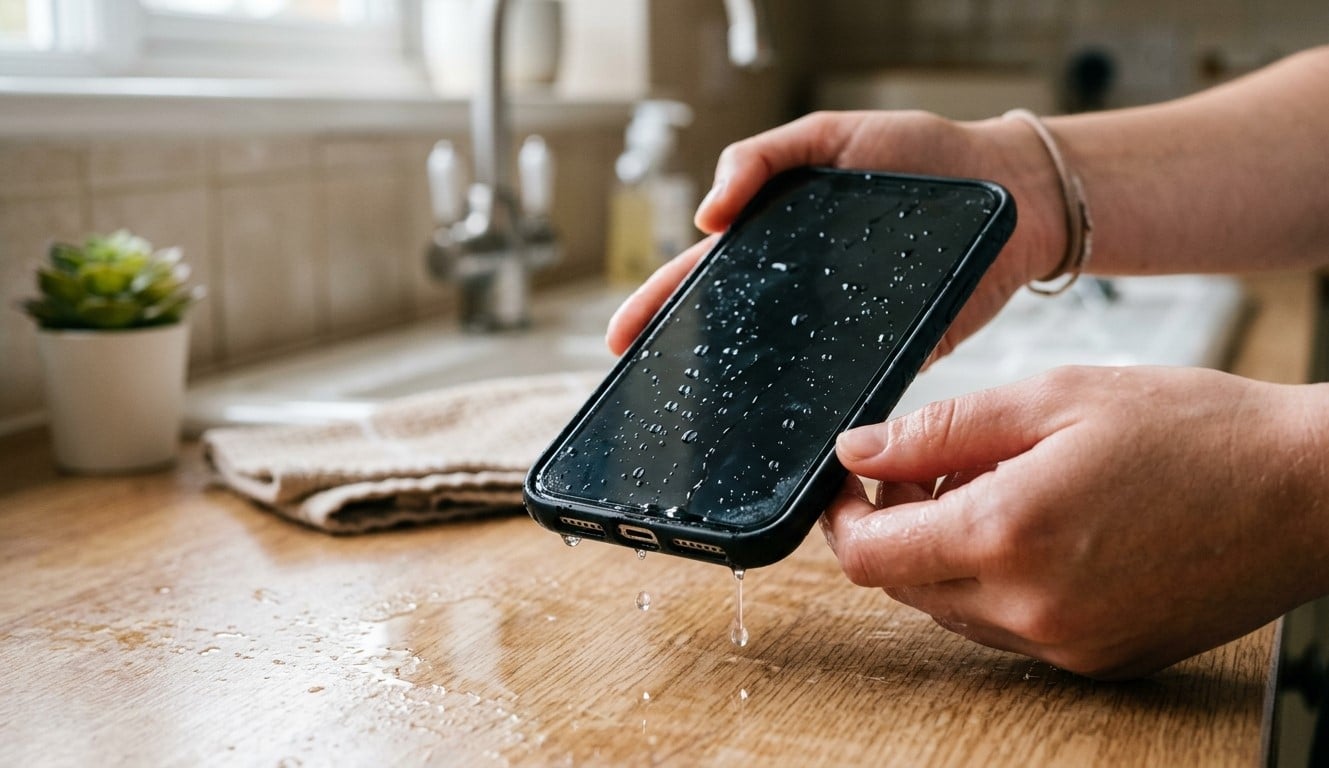
Accidentally dropping your smartphone into water or spilling liquid over it can be stressful, especially when the screen goes black or the device stops responding. Even water-resistant phones can suffer liquid damage, particularly when seals are worn or the device is exposed to liquids under unsuitable conditions. Taking the right steps immediately can reduce the risk of further damage and improve the chances of recovery.
Nanotech Mobile understands how important reliable technology is in everyday life. Whether you need smartphone repair guidance, game console repair Regina, or PS5 repair Regina services, addressing technical problems promptly can help protect your devices and restore their functionality.
Table of Contents
- What Happens When a Phone Gets Wet?
- What to Do Immediately After Water Exposure
- Mistakes to Avoid When Your Phone Gets Wet
- Signs of Water Damage
- When to Seek Professional Repair
- Frequently Asked Questions
- Conclusion and Call to Action
1. What Happens When a Phone Gets Wet?
Liquid can enter a smartphone through charging ports, speakers, buttons, damaged seals, or cracks in the casing. Depending on the amount and type of liquid, it may interfere with electrical connections, damage internal components, or cause corrosion that develops over time.
Salt water, sugary drinks, and other liquids can be especially problematic because they leave residues behind. Even if your phone starts working again after drying, internal damage may still be present.
2. What to Do Immediately After Water Exposure
Step 1: Turn Off Your Phone
If your phone is still on, switch it off as soon as possible. If it has already shut down, leave it off. Continuing to operate a wet device may increase the risk of electrical damage.
Step 2: Disconnect All Accessories
Unplug the charging cable and remove connected accessories. Never charge a phone while its charging port or connector may be wet. Charging with moisture present can damage the connector and other components.
Step 3: Remove the Case and External Accessories
Take off the phone case and gently remove any easily detachable accessories. If your phone has a removable SIM tray, remove it only if you can do so safely and without forcing anything.
Do not open the phone’s casing or attempt to remove a built-in battery.
Step 4: Dry the Exterior Carefully
Use a clean, soft, lint-free cloth to absorb visible moisture. Hold the phone with the charging port facing downward and gently tap it against your hand to help excess liquid escape.
Avoid shaking the device aggressively, as this may spread liquid into other areas.
Step 5: Let the Phone Air-Dry
Place the phone in a dry location with good airflow. Follow the manufacturer’s instructions for liquid exposure and charging-port moisture warnings.
Drying may take considerable time, and the exterior can appear dry while moisture remains inside. Do not assume the phone is safe to charge simply because its surface feels dry.
Step 6: Arrange a Professional Inspection
If the phone was submerged, exposed to salt water or sugary liquids, or has stopped working, professional assessment is advisable. A technician can evaluate possible internal damage and determine whether cleaning or component replacement is necessary.
3. Mistakes to Avoid When Your Phone Gets Wet
Certain common reactions can make liquid damage worse.
- Do not charge it: Wait until the device and connector are confirmed dry according to manufacturer guidance.
- Do not use a hair dryer: Excessive heat can damage seals, screens, batteries, and internal components.
- Do not put it in rice: Rice is not a reliable way to remove internal moisture and may introduce dust or debris.
- Do not press buttons repeatedly: Avoid unnecessary operation while the device may still be wet.
- Do not open the phone yourself: Modern smartphones contain delicate components, and opening the casing can cause further damage.
- Do not assume water resistance guarantees protection: Resistance can decrease with wear, impact damage, or aging seals.
If the device becomes unusually hot, swells, or produces a burning smell, keep away from it and seek appropriate professional assistance.
4. Signs of Water Damage
Watch for these warning signs after liquid exposure:
- The phone will not turn on or repeatedly shuts down.
- The screen flickers, displays unusual colors, or becomes unresponsive.
- Speakers or microphones sound distorted.
- Charging stops working or triggers a moisture warning.
- Cameras develop condensation beneath the lens.
- Buttons or other functions stop working normally.
Some symptoms appear immediately, while corrosion-related problems may develop later. A phone that temporarily works after drying may still need inspection.
5. When to Seek Professional Repair
If your phone stops working after getting wet, avoid repeated attempts to turn it on. The safest next step is to arrange a professional inspection, particularly after submersion or exposure to contaminated liquids.
A qualified technician can assess the charging system, battery, connectors, and internal components to determine the extent of the damage. Repair success depends on factors such as the liquid involved, exposure duration, and affected components.
Nanotech Mobile recognizes the importance of dependable electronics beyond smartphones. If you also experience problems with your gaming equipment, professional game console repair Regina and PS5 repair Regina services can help you explore suitable troubleshooting and repair options.
Frequently Asked Questions (FAQs)
1. Can a phone recover after getting wet?
Yes, recovery may be possible, but it depends on the extent of the liquid damage. Switching the phone off quickly and seeking professional assessment can help reduce further harm.
2. How long should I let my wet phone dry?
Drying time varies by device and exposure. Follow the manufacturer’s guidance and do not charge the phone until the device and connector are confirmed dry. Internal moisture may remain even when the exterior appears dry.
3. Should I put my wet phone in rice?
No. Rice is not a dependable solution for internal moisture and may introduce debris. Air-drying according to manufacturer instructions is a better approach.
4. Can water damage appear days later?
Yes. Corrosion and residue can cause delayed problems, even if the phone initially seems to work normally.
5. Should I charge my phone after it gets wet?
Do not charge it while moisture may remain in the charging port or connector. Follow the manufacturer’s instructions, and seek professional advice if the phone was submerged or has stopped working.
Conclusion
If your phone gets wet and stops working, switch it off, disconnect accessories, dry the exterior gently, and avoid charging it until it is safe. Never rely on rice or direct heat, and do not assume a working screen means the internal components are undamaged.
Nanotech Mobile understands the importance of protecting your everyday technology, whether you need smartphone repair guidance, game console repair Regina, or PS5 repair Regina services. Acting quickly and choosing appropriate professional assistance can help you understand the damage and explore the best available repair options.
Call to Action
Has your phone stopped working after water exposure? Visit Nanotech Mobile to explore available services and learn about your repair options. Avoid powering on or charging a potentially wet device repeatedly—professional assessment may help prevent further damage.