






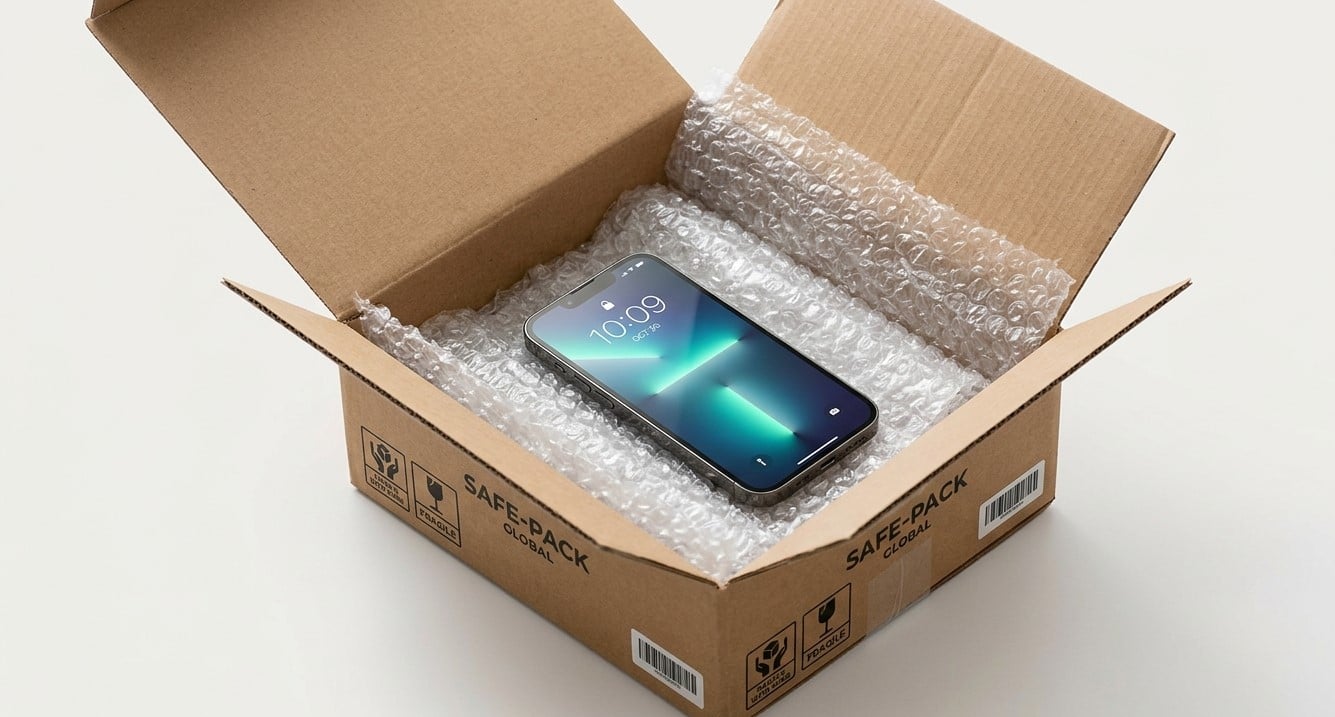
When a smartphone develops a cracked screen, charging problem, battery issue, or another hardware fault, getting it repaired quickly becomes a priority. However, visiting a repair shop in person is not always convenient. Mail-in repair services can provide an alternative by allowing customers to send their devices to a repair provider for inspection and service.
Before shipping your phone, it is important to understand how the process works, what risks to consider, and how to protect your personal information. Choosing a reliable repair provider and preparing your device correctly can help reduce the chances of shipping damage, privacy concerns, and unexpected costs.
If you are considering mail-in phone repair Houston, taking a few precautions can make the process more manageable. Whether you need help with a damaged display or another phone problem, iPC Repair Houston is a place to contact for information about available repair options, including services related to cracked screen repair Houston.
Table of Contents
- Is It Safe to Mail Your Phone for Repair?
- What Are the Risks of Shipping a Phone?
- How Should You Prepare Your Phone Before Shipping?
- How Can You Protect Your Personal Information?
- How Should You Package Your Phone?
- How Can You Choose a Reliable Mail-In Repair Service?
- What Happens After Your Phone Arrives?
- Frequently Asked Questions
- Contact iPC Repair Houston
1. Is It Safe to Mail Your Phone for Repair?
Yes, mailing your phone for repair can be a safe and convenient option when you use a reputable provider and follow appropriate shipping precautions. However, no shipping method is entirely risk-free.
Mail-in repair allows you to send your smartphone to a repair facility without making an in-person visit. Depending on the provider, the service may include an initial assessment, a repair estimate, component replacement, functional testing, and return shipping.
This option can be particularly useful if your phone has a damaged display, a faulty charging port, or another hardware problem that requires professional attention.
Before sending your device, confirm that the repair provider accepts your phone model and the specific issue you are experiencing. Ask about shipping instructions, diagnostic fees, turnaround times, repair warranties, and return procedures.
For customers exploring mail-in phone repair Houston, confirming these details with the provider before shipping can help prevent misunderstandings.
2. What Are the Risks of Shipping a Phone?
Understanding potential risks helps you take the right precautions before handing your phone to a shipping carrier.
Physical Damage During Transit
Phones can be damaged if they move around inside a package or experience impacts during transportation. A device with an existing crack may be particularly vulnerable to additional damage.
Using a sturdy box, protective cushioning, and secure packaging can help reduce this risk.
Loss or Delivery Delays
Packages may occasionally be delayed, misrouted, or lost. Choose a shipping service that provides tracking and consider appropriate shipping insurance based on the device’s value and the carrier’s terms.
Keep your shipping receipt and tracking number until your phone has been returned and checked.
Privacy and Data Security
Your phone may contain personal photographs, emails, financial applications, saved passwords, and private messages. If someone gains unauthorized access, this information could be exposed.
Backing up your data, using available security controls, and following the repair provider’s instructions can help reduce privacy risks.
Unexpected Repair Costs
Some problems are more complicated than they initially appear. A cracked display, for example, may be accompanied by damage to internal components.
Ask whether the provider will obtain your approval before performing additional work beyond the original estimate.
3. How Should You Prepare Your Phone Before Shipping?
Preparing your device properly can make the repair process easier and protect your information.
Back Up Important Data
Before shipping your phone, back up photographs, contacts, messages, documents, and other important files. Depending on your device, you may be able to use a cloud backup service or transfer files to a computer.
A repair may require testing, resetting, or replacing components, and some procedures can result in data loss. A backup gives you a way to recover important information if that happens.
Document the Phone’s Condition
Take clear photographs of your phone from several angles before packaging it. Capture any existing cracks, scratches, dents, or other visible damage.
Keep a record of the device model and any available serial number or IMEI information for your own reference. Avoid posting these identifiers publicly.
Documentation can help clarify the device’s condition if a shipping or repair dispute arises.
Remove Accessories
Unless the provider specifically requests them, remove your SIM card, memory card, phone case, charging cable, and other accessories.
Keeping unnecessary items out of the package reduces the chance of losing them and may make packaging easier.
Follow the Provider’s Instructions
Ask whether the phone should be powered off, whether any account settings need to be changed, and whether a particular shipping method is required.
If the phone has a swollen battery, unusual heat, or signs of battery damage, do not package or ship it through ordinary mail without professional guidance. Lithium batteries are subject to carrier and transportation restrictions, and damaged batteries may require special handling.
4. How Can You Protect Your Personal Information?
Data protection is one of the most important considerations when sending a smartphone to someone else.
Start by backing up your data and reviewing the information stored on the device. If practical, remove sensitive files that are not needed for the repair.
Use these additional precautions:
- Keep your passwords private: Never send your account password through an ordinary message or include it on a note inside the package.
- Use built-in repair or maintenance modes: Some devices offer features that restrict access to personal data while allowing technicians to test the phone.
- Review account security: Understand whether the provider needs the device to remain linked to an account for legitimate diagnostic purposes.
- Ask about factory resets: Some repairs may require a reset, while others may not. Confirm the requirements before deciding what to do.
- Check the return process: Ask how your device and personal information will be handled after the repair.
Do not assume that every repair requires unrestricted access to your personal information. Ask the technician which functions need to be tested and whether there is a privacy-conscious alternative.
5. How Should You Package Your Phone?
Correct packaging helps protect your smartphone from impacts, pressure, and movement during transportation.
Follow these steps:
- Power off the device if it is safe to do so and the repair provider’s instructions allow it.
- Protect the phone’s exterior with a suitable protective sleeve or soft wrapping material.
- Use a sturdy box that is appropriately sized for the device and its cushioning.
- Add protective padding around the phone so it cannot move freely inside the package.
- Fill empty spaces with suitable cushioning material to reduce movement during transit.
- Seal the package securely using appropriate packing tape.
- Attach the shipping label according to the carrier’s instructions and retain your tracking information.
Avoid using packaging that places direct pressure on a cracked display. If the glass is loose or fragments are coming away, seek instructions from the repair provider before handling the device.
Also, do not send a phone with a damaged or swollen battery through standard shipping without confirming the applicable safety requirements.
6. How Can You Choose a Reliable Mail-In Repair Service?
Choosing a suitable repair provider is just as important as preparing the phone.
Before booking mail-in phone repair Houston, research the provider and ask specific questions about its repair process.
Look for clear contact information, transparent pricing, documented repair policies, and understandable warranty terms. Recent customer reviews may also help you assess communication, turnaround times, and how the business handles problems.
Before sending your phone, confirm:
- Whether your model and issue are accepted.
- Whether there is a diagnostic or inspection fee.
- Whether you must approve the estimate before work begins.
- What replacement parts may be used.
- Whether the repair includes a warranty.
- How shipping, insurance, and return delivery are handled.
- What happens if the device cannot be repaired.
For example, if you need cracked screen repair Houston, ask whether the repair involves replacing the display assembly or another component. The correct approach depends on the phone model and the extent of the damage.
You can contact iPC Repair Houston to ask about available services, mail-in eligibility, shipping requirements, and estimated repair costs. Confirm the current details before sending your device.
7. What Happens After Your Phone Arrives?
The process varies by provider, but mail-in repairs commonly follow several stages.
First, the repair facility receives the package and checks the device’s condition. A technician may then inspect the reported issue and determine whether additional damage is present.
If the final cost differs from the initial estimate, ask for an explanation and approve any additional work before it begins.
After the repair, the provider may test relevant functions, such as the display, touch response, charging, speakers, cameras, or buttons. Not every repair requires every test, so ask which functions will be checked.
Once the repair is complete, the phone can be packaged for return shipping. When it arrives, inspect the exterior and test the repaired function promptly. Keep the receipt and warranty information in case follow-up service is needed.
Frequently Asked Questions
1. Is mailing a phone for repair safe?
It can be safe when you choose a reputable provider, back up your data, package the device correctly, and use suitable tracked shipping. However, shipping and privacy risks cannot be eliminated completely.
2. Should I remove my SIM card before shipping my phone?
Generally, yes. Remove your SIM card and any removable memory card unless the repair provider specifically instructs you otherwise.
3. Should I erase my phone before sending it for repair?
A factory reset may help protect personal data, but it is not always necessary and can complicate diagnostics. Back up your data first and ask the provider whether a reset is required.
4. Can I mail a phone with a cracked screen?
Often, yes, provided the provider accepts the device and it can be shipped safely. If the glass is loose or the battery may be damaged, request handling instructions before packaging it.
5. How long does mail-in phone repair take?
The turnaround time depends on shipping, diagnostic work, parts availability, repair complexity, and return delivery. Ask for an estimated timeframe before sending your phone.
Contact iPC Repair Houston for Phone Repair Information
Mailing your smartphone for repair can save time and make professional service more accessible, but preparation matters. Back up your files, protect your personal information, document existing damage, package the device securely, and confirm the provider’s policies before shipping.
If you need cracked screen repair Houston or want to explore mail-in phone repair Houston, contact iPC Repair Houston to discuss your device and available options.