







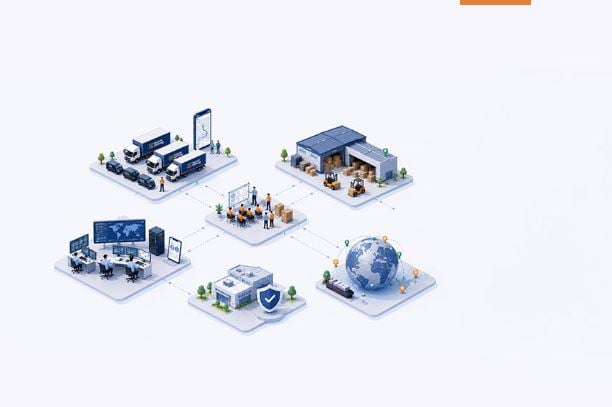
Corporate Services Simplified
Relocating an office is not just about shifting furniture, files, and workstations. It also involves moving valuable IT equipment such as computers, servers, networking devices, printers, and data storage systems. Even a small mistake during the moving process can lead to equipment damage, data loss, or unexpected business downtime.
For businesses planning an office move, proper planning and professional support are essential. Choosing reliable Corporate Relocation services helps protect valuable technology assets and ensures a smooth transition to the new workplace.
Hybrid Shifting, a part of Hybrid Solutions, focuses on corporate services with value-added solutions, over 1 million cubic feet of warehousing capacity, and 1,000+ skilled professionals across operations, technology, and customer-facing functions.
Why Is Safe IT Equipment Relocation Important?
IT equipment plays an important role in daily business operations. Employees depend on computers, servers, internet connections, and communication systems to complete their work.
Improper packing, rough handling, moisture, or incorrect installation can damage sensitive devices. Businesses may also face delays if important systems are not ready after relocation.
That is why professional planning and experienced Corporate moving companies can make a significant difference. A well-managed relocation process helps reduce risks, protect equipment, and minimise operational interruptions.
7 Essential Tips to Relocate IT Equipment Safely
1. Create an Inventory of IT Assets
Before moving day, prepare a detailed list of all IT equipment. Include desktops, laptops, monitors, servers, printers, routers, switches, cables, and backup devices.
Record serial numbers, equipment locations, and their current condition. Taking photographs before disconnection can also help during reinstallation.
An accurate inventory helps businesses track every item and reduces the chances of misplaced equipment during the move.
2. Back Up Important Business Data
Data protection should be a priority before relocating any IT infrastructure. Back up essential files, databases, applications, and system configurations before disconnecting devices.
Store backups in secure cloud storage or another approved location. Verify that the backup is accessible and working correctly.
For server rooms and critical business applications, coordinate with the internal IT team to prepare a suitable backup and recovery plan.
3. Label All Cables and Devices
Disconnecting IT equipment without proper labelling can create confusion during installation. Before removing cables, label both ends and record their connections.
Use clear labels for computers, monitors, network ports, power cables, and other accessories. Keep the cables of each workstation together in separate, organised bags.
This simple step saves time during reinstallation and helps employees resume work faster at the new office.
4. Use Appropriate Packing Materials
IT equipment requires more careful packing than ordinary office furniture. Use suitable anti-static packaging for sensitive electronics, protective cushioning, sturdy cartons, and specialised crates where necessary.
Servers, monitors, and other fragile devices should be packed according to their handling requirements. Avoid placing heavy objects on top of delicate equipment.
Professional Commercial Moving teams can help arrange suitable packing materials and handling procedures for different types of office assets.
5. Plan the Movement of Servers and Network Equipment
Servers, storage systems, and networking devices need additional attention because they support important business operations.
Coordinate with IT administrators before shutting down these systems. Follow manufacturer recommendations and internal procedures for safe shutdown, disconnection, transportation, and restart.
For complex infrastructure, consider using a dedicated relocation plan that covers equipment priorities, transport arrangements, installation requirements, and testing procedures.
6. Choose a Reliable Commercial Relocation Company
Selecting the right relocation partner is important when moving expensive IT assets. Look for a company with corporate relocation experience, trained personnel, appropriate packing methods, and a clear process for handling sensitive equipment.
Ask about asset tracking, transportation security, insurance coverage, and coordination with your internal IT team.
A professional Commercial relocation company can help manage logistics and reduce the pressure on employees while your business prepares for the move.
7. Test Every Device After Installation
Once the equipment reaches the new office, check each item against the original inventory. Inspect devices for visible damage before reconnecting them.
Your IT team should test computers, servers, internet connectivity, printers, network switches, and business applications. Confirm that essential data is accessible and security systems are functioning properly.
Complete the testing process before employees return to normal operations. This helps identify technical problems early and supports a smoother office reopening.
How Do Professional Commercial Relocation Services Help?
Professional Commercial relocation services offer more than transportation. They help businesses plan logistics, organise packing, coordinate movement, and manage the handling of office assets.
With proper scheduling and trained professionals, companies can reduce confusion and avoid unnecessary disruption. Value-added services such as warehousing can also be useful when the new office is not immediately ready to receive all equipment.
Hybrid Shifting supports corporate relocation requirements through a service-oriented approach backed by warehousing capacity and skilled operational teams. Businesses can plan their relocation requirements according to their office size, equipment volume, and operational priorities.
Frequently Asked Questions (FAQs)
1. How can IT equipment be protected during an office move?
Use suitable anti-static packaging, protective cushioning, clear labels, and secure transportation. Back up important data, document equipment connections, and inspect all devices before installation at the new office.
2. Should computers and servers be switched off before relocation?
Yes. Computers and servers should be shut down using approved procedures before disconnection. Follow manufacturer instructions and coordinate with IT administrators to protect data and avoid hardware-related issues.
3. How do I choose the best corporate moving company for IT relocation?
Choose a company with corporate relocation experience, trained handling teams, appropriate packing materials, asset tracking procedures, and transparent insurance terms. Confirm its ability to coordinate with your internal IT department.
4. How can businesses reduce downtime during IT equipment relocation?
Prepare a relocation schedule, back up critical data, prioritise essential systems, and arrange installation in advance. Test network connections and applications before employees resume regular work at the new office.
5. Is warehousing useful during commercial office relocation?
Yes. Secure warehousing can help when office space is unavailable or equipment must be moved in phases. Confirm storage security, handling procedures, access arrangements, and suitable environmental conditions for sensitive devices.
Relocating IT equipment safely requires planning, proper packing, data protection, secure transportation, and careful installation. Businesses should create an inventory, label connections, coordinate with IT teams, and test all systems before resuming normal operations.
Working with experienced Corporate Relocation services providers can make the process more organised and reduce the risk of equipment damage and unnecessary downtime.
Hybrid Shifting follows the brand promise “Corporate Services Simplified” by supporting business relocation requirements with value-added services, substantial warehousing capacity, and skilled professionals.
Whether you are moving a small office or a large corporate facility, a well-planned relocation strategy helps protect your technology assets and keeps your business moving forward.