



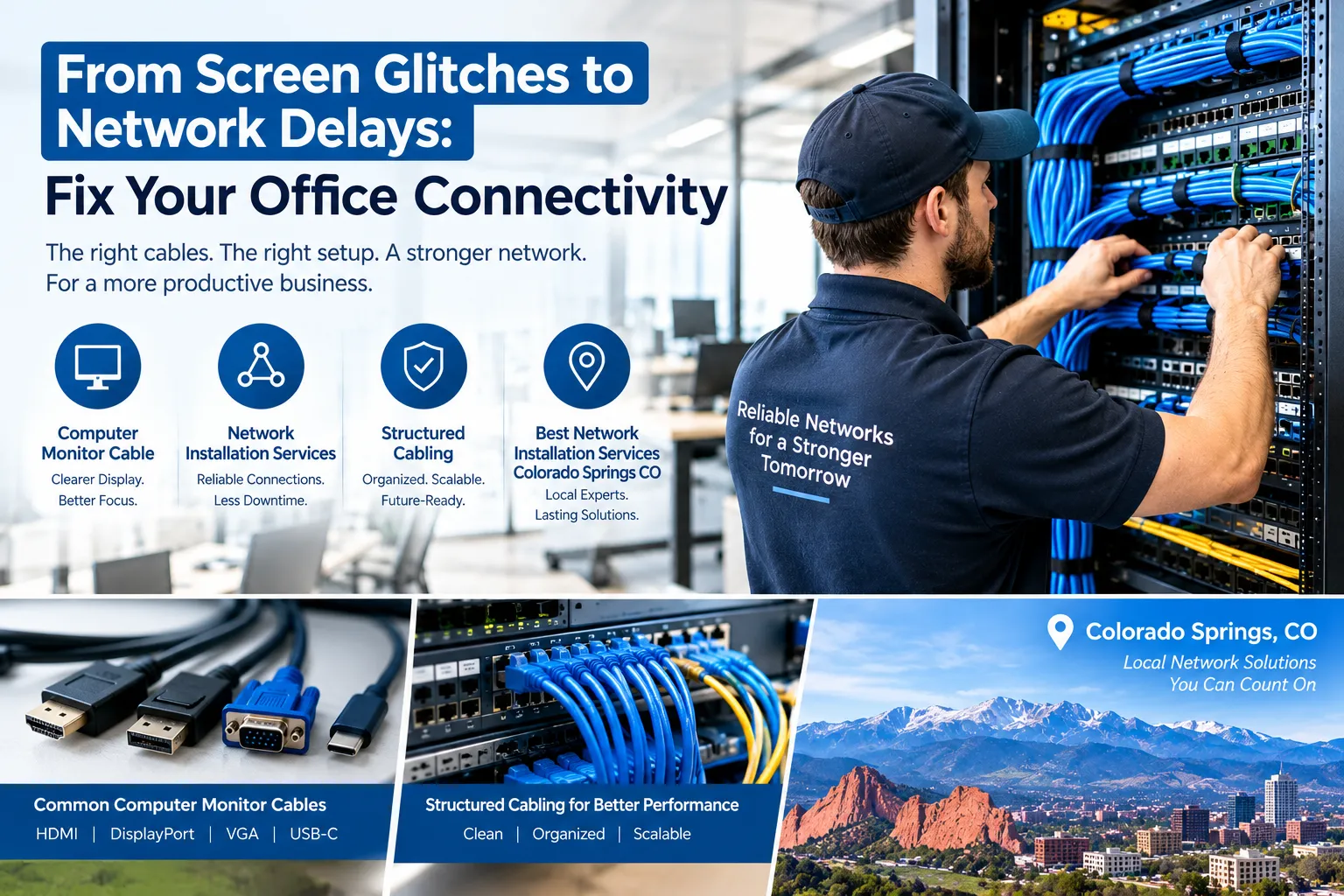
When employees experience blank monitors, dropped network connections, slow file transfers, or interruptions during video meetings, everyday business operations can quickly become frustrating. These problems may seem unrelated, but they often occur when office technology is poorly connected, incorrectly configured, or no longer suited to business requirements.
The first step toward resolving these issues is understanding the difference between display connections and network infrastructure. A computer monitor cable transfers video signals between a computer and a display, while network cabling connects computers and other devices to a local network. Each component has a specific purpose, and identifying the faulty connection can prevent unnecessary spending.
For businesses that rely on computers throughout the workday, properly planned computer network installation services can improve organization, simplify troubleshooting, and support future technology upgrades.
1. Diagnose Monitor Problems Before Replacing Equipment
A monitor that flickers, displays a blank screen, or fails to show the expected resolution does not always need to be replaced. The issue may involve the cable, port, display settings, graphics hardware, or power supply.
Before purchasing new equipment, work through these checks:
- Confirm that the monitor is switched on and receiving power.
- Make sure the correct input source is selected on the display.
- Check that the cable is firmly connected to the monitor and computer.
- Inspect the connectors for visible damage or bent pins.
- Test another compatible cable or port, if available.
- Check the computer’s display settings and supported resolution.
- Confirm that the graphics output supports the monitor’s requirements.
If the display works with another cable, the original cable may be damaged or unsuitable. If the problem continues, the cause could be related to the monitor, computer, graphics adapter, or configuration.
For offices with multiple displays, documenting the connections can also help employees and technicians identify the correct cable when troubleshooting.
2. Select a Computer Monitor Cable That Matches Your Equipment
Choosing a suitable computer monitor cable is important for reliable display performance. The right option depends on the ports available on both devices, the required resolution, the refresh rate, and the capabilities of the connected hardware.
HDMI for Everyday Office Displays
HDMI is common on laptops, desktop computers, monitors, and projectors. It carries digital video and can also carry audio through a single connection. It is often a practical choice for office workstations, presentations, and general productivity.
Before buying an HDMI cable, check that it supports the resolution and refresh rate your equipment requires.
DisplayPort for Compatible Monitors
DisplayPort is widely used with desktop computers and professional monitors. Depending on the hardware and standard supported, it can accommodate high resolutions, high refresh rates, and certain multi-display configurations.
It can be a suitable option for employees working with detailed graphics, large spreadsheets, video editing, or other display-intensive applications.
USB-C for Modern Workstations
USB-C can carry video when the computer’s port and cable support a compatible display protocol. Some laptops use USB-C docking stations to connect monitors, Ethernet, keyboards, and other peripherals through one workstation setup.
However, not every USB-C port supports video output. Check the device specifications before purchasing a cable or docking station.
DVI and VGA for Older Equipment
Some older office computers and monitors still use DVI or VGA. These connections may remain useful when existing equipment does not support newer standards, although compatibility should be checked before selecting adapters or replacement cables.
The key is to match the cable to the actual hardware requirements rather than choosing based only on appearance or price.
3. Understand What Causes Recurring Network Interruptions
Display problems are usually isolated to the monitor connection or computer’s graphics system. Network problems can affect one device, an entire department, or the whole office.
Common causes include damaged Ethernet cables, loose connectors, overloaded network equipment, outdated switches, incorrect configurations, and insufficient wireless coverage.
For example, if one employee cannot access shared files but colleagues can, the issue may involve that workstation, its cable, or its network port. If every employee loses access simultaneously, the cause may be the router, central switch, internet service, or another shared component.
A useful troubleshooting process should identify the extent of the problem before replacing equipment. This approach helps businesses avoid spending money on new hardware that does not address the actual cause.
4. How Professional Computer Network Installation Services Help
A business network involves more than connecting a router and a few computers. It must accommodate the building layout, number of users, connected devices, security requirements, and applications employees use every day.
Professional computer network installation services may include planning cable routes, installing Ethernet outlets, connecting switches and routers, setting up wireless access points, organizing equipment racks, and testing network connections.
A comprehensive installation can also include structured cabling, port labeling, cable testing, and documentation. These practices make it easier to identify connections, perform maintenance, and expand the network when additional employees join the business.
The installation process should begin with an assessment of the existing environment. A technician can determine whether the business needs new cabling, upgraded equipment, improved wireless coverage, or a combination of changes.
Not every office requires a complete network replacement. In some cases, targeted repairs or a carefully planned upgrade may resolve the main problems more cost-effectively.
5. Choose Network Infrastructure That Supports Your Business
The physical infrastructure should match the company’s current workload and expected growth. Selecting equipment without considering these requirements can create performance limitations and additional installation costs.
Consider the following elements when planning an office network:
Ethernet cabling: Appropriate copper cabling can provide reliable wired connections for computers, printers, phones, and wireless access points.
Fiber optic connections: Fiber can support high-bandwidth links over longer distances, including connections between network rooms or buildings.
Network switches: Switches need enough ports and suitable performance to support connected devices and anticipated expansion.
Wireless access points: Placement and capacity should reflect the building layout, construction materials, number of users, and wireless traffic.
Equipment organization: Proper rack layout, labeling, and cable management can simplify maintenance and reduce confusion during troubleshooting.
A well-planned installation also considers ventilation, safe cable routing, access to equipment, and the ability to service the system without disrupting unrelated connections.
6. Finding the Best Network Installation Services in Colorado Springs, CO
Businesses searching for the best network installation services Colorado Springs CO should evaluate providers on the quality of their planning, installation practices, testing, and ongoing support.
A professional provider should understand commercial connectivity requirements and be willing to explain why a particular solution is appropriate for the property.
Before selecting a contractor, ask these questions:
- Will you assess our current network before recommending changes?
- Which cable types and network components will the project require?
- Will all installed connections be tested?
- Will cables, outlets, and network ports be labeled?
- Will we receive documentation of the completed installation?
- Does the proposed design allow room for future expansion?
- What support is available if connectivity problems occur later?
Request a written estimate that explains the work included, the materials required, and any additional costs that may arise. Comparing providers using the same project requirements makes it easier to understand differences in pricing and scope.
For local organizations, computer network installation services should also account for building access, cable pathways, equipment-room conditions, and the needs of the people who will use the network.
7. Reduce Future Problems With Routine Maintenance
Even a well-designed network needs occasional attention. Routine checks can help identify damaged cables, loose connections, overheating equipment, outdated firmware, and changes that have not been documented.
Keep cables organized and avoid placing heavy objects on them. Ensure equipment racks have adequate ventilation, and maintain an accurate record of which ports connect to which devices.
When a problem occurs, record the affected computer, the time of the interruption, and whether other devices experienced the same issue. This information can help distinguish an isolated workstation fault from a wider infrastructure problem.
Businesses should also review their network capacity when adding employees, moving offices, introducing cloud applications, or installing connected equipment. Planning upgrades before capacity becomes a serious limitation can reduce disruption and help control costs.
Build a More Dependable Office Technology Environment
Reliable office technology depends on choosing compatible components and connecting them correctly. A suitable monitor cable can resolve display compatibility issues, while properly designed network infrastructure helps computers communicate with business systems more consistently.
When connectivity problems become frequent, avoid replacing equipment without identifying the cause. Start with basic troubleshooting, assess the existing infrastructure, and determine which improvements will address the actual problem.
With careful planning, professional installation, and routine maintenance, businesses can create a more organized technology environment that supports employee productivity and future growth.