




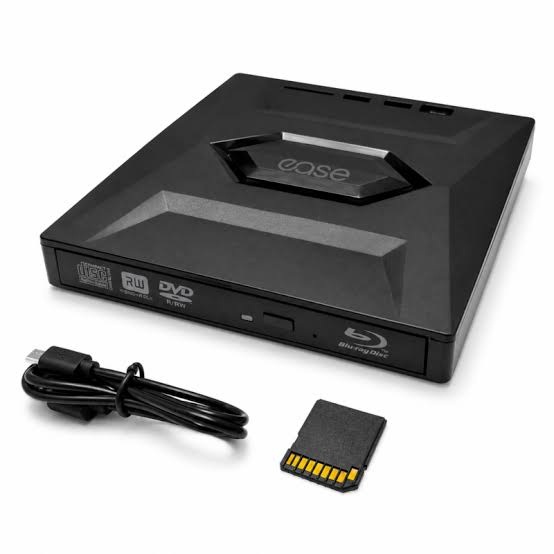
Optical Drives & Burners: Uses, Types, and Benefits
Although cloud storage and USB devices are widely used today, optical discs still have a place in digital storage and data management. CDs, DVDs, and Blu-ray discs can store music, videos, software, documents, and other digital files. To access or create these discs, users need suitable optical hardware.
Optical technology works by using a laser to read information stored on the surface of a disc. This process allows computers and compatible devices to access files without relying entirely on an internet connection.
For individuals and businesses that work with physical media, understanding this technology can help when choosing suitable computer hardware. It is also useful for people who need to access older software, archived files, or media collections.
Optical Drives & Burners are designed to read information from compatible discs, while certain models can also write data onto recordable media. Understanding the difference between these functions makes it easier to select the right equipment for specific requirements.
What Are Optical Drives and How Do They Work?
An optical drive is a hardware device that uses laser technology to read data from optical discs. Depending on its specifications, it may support CDs, DVDs, or Blu-ray discs.
When a disc is inserted, the drive spins it while a laser reads the digital information. The computer then processes that information, allowing users to open files, play supported media, or install software.
Some drives are built directly into desktop computers, while external models connect through a USB port. External options are particularly useful for laptops that do not include an internal disc drive.
Understanding the Different Types of Optical Drives
Not every optical drive supports the same disc formats. Checking compatibility before purchasing is important, especially when working with older media.
CD Drives
CD drives are designed to read compact discs. These discs have traditionally been used for music albums, smaller software packages, and general file storage.
Some CD drives also support writing data to recordable CDs.
DVD Drives
DVD drives support DVDs and commonly offer backward compatibility with CDs. They are useful for accessing DVD video collections, archived documents, and software distributed on discs.
A DVD writer can also create data DVDs when used with compatible blank media.
Blu-ray Drives
Blu-ray drives use a different laser technology that allows them to read higher-capacity discs. They are commonly associated with high-definition video and larger data collections.
Some models also support writing data to compatible Blu-ray discs.
Optical Drives vs. Optical Burners
The terms reader and burner describe different capabilities. A standard optical reader can access information from supported discs but may not be able to write new data.
An optical burner includes writing functionality. It can record files onto compatible blank discs, depending on the supported formats.
For example, someone who only needs to open an old software CD may require a reader. However, a user who regularly creates disc-based backups may benefit from a burner.
It is important to check product specifications because not every drive supports every writing format.
Common Uses of Optical Disc Technology
Despite the growth of digital downloads, optical media remains useful in several situations.
Accessing Older Software and Files
Some older applications, drivers, and archived documents are available on CDs or DVDs. An optical drive can help users access these resources on compatible computers.
Creating Physical Backups
Burners can be used to save selected files onto recordable discs. This provides another storage option, although discs should be stored properly and checked periodically.
Playing Disc-Based Media
Compatible drives can access music CDs, DVD movies, and Blu-ray content. Playback support also depends on the computer’s software and hardware configuration.
Sharing Files Without Internet Access
A recorded disc can be useful when transferring files between compatible devices in locations with limited or unavailable internet access.
What to Consider Before Buying an Optical Drive
Choosing the right device starts with understanding how it will be used. Consider these factors before making a purchase:
- Disc compatibility: Check whether you need CD, DVD, or Blu-ray support.
- Reading and writing: Decide whether reading discs is enough or burning capability is also required.
- Connection type: Confirm compatibility with available USB ports or internal connections.
- Computer compatibility: Review operating system and hardware requirements.
- Physical design: Choose an internal or external model based on your setup.
- Writing speed: If you plan to burn discs, compare supported recording speeds.
A little research can prevent compatibility issues and help you choose hardware that meets your actual needs.
Finding Computer Hardware Through itnetworkstrade
Businesses and individuals researching computer components can explore https://itnetworkstrade.co.uk for information about available IT hardware and technology products. Reviewing product specifications and compatibility details is a useful way to make informed purchasing decisions.
Before selecting any optical device, compare its supported formats, connection requirements, and intended use to ensure it fits your computer setup.
Conclusion
Optical drives and burners continue to serve useful purposes for accessing physical media, managing older files, and creating disc-based backups. Although newer storage methods are convenient, optical technology remains relevant for users who still work with CDs, DVDs, and Blu-ray discs.
The best choice depends on the formats you need, whether you require reading or writing functions, and how the device connects to your computer. Checking these details before buying can help you select reliable hardware for your requirements.
Frequently Asked Questions
1. What is the main difference between an optical drive and a burner?
An optical drive may only read information from discs, while a burner can also write data onto compatible recordable discs.
2. Can an external optical drive work with a laptop?
Yes. Many external optical drives connect through USB. However, users should check operating system support, connection compatibility, and disc format requirements.
3. Are optical drives still useful today?
Yes. They can be useful for accessing older software, playing physical media, retrieving archived files, and creating disc-based backups.