







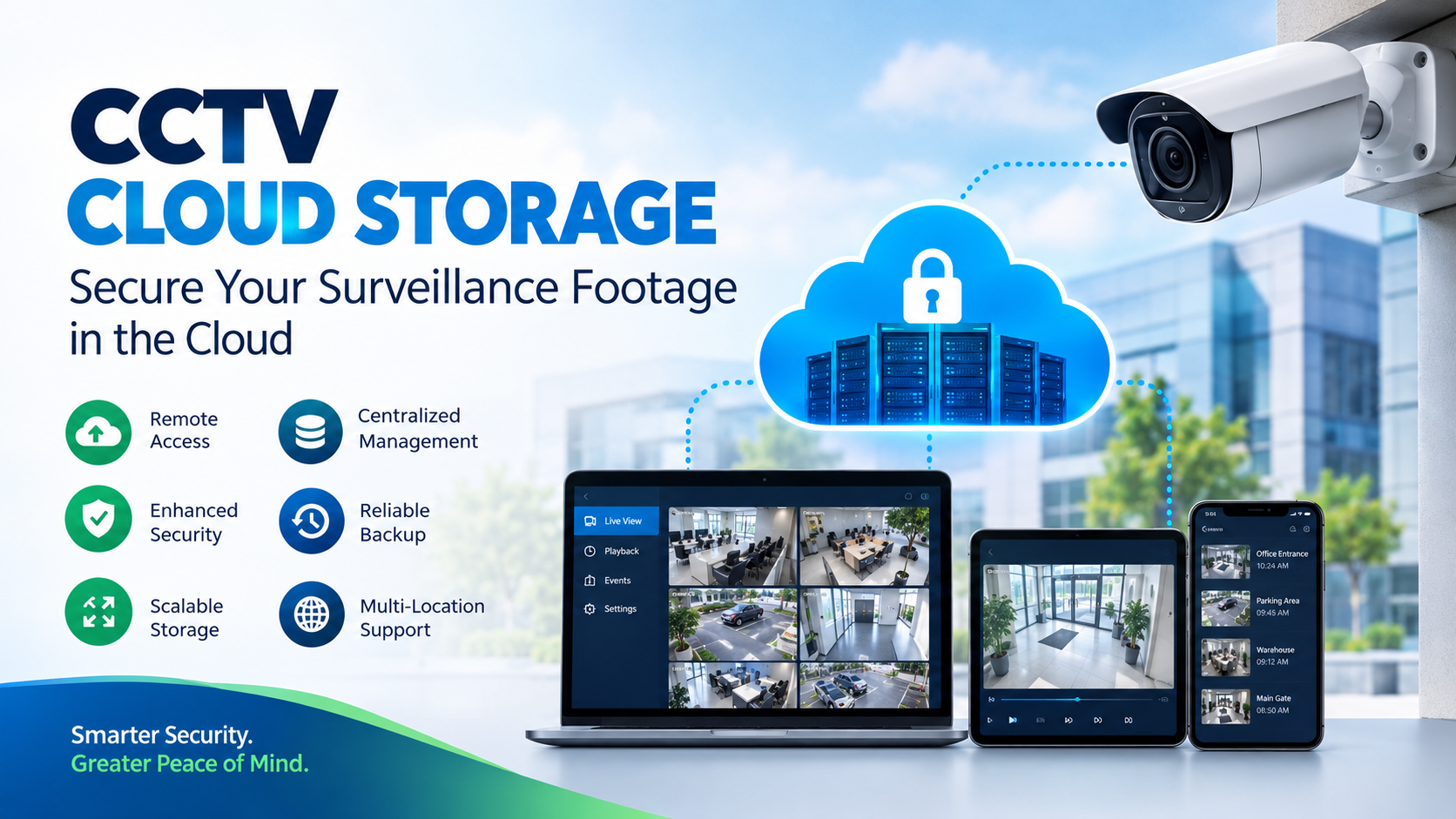
CCTV cameras have become an essential part of modern security systems for homes, offices, retail stores, warehouses, factories, schools, hospitals, and other commercial environments. However, installing cameras is only one part of an effective surveillance system. The next important question is: Where should CCTV footage be stored securely?
Traditionally, CCTV recordings were stored locally using DVRs, NVRs, hard drives, or memory cards. While local storage remains useful, businesses and organizations are increasingly looking toward CCTV cloud storage for easier access, scalability, backup, and centralized video management.
With cloud storage, CCTV footage can be securely uploaded to remote servers and accessed through authorized devices over the internet. This makes it possible to monitor and review surveillance recordings without depending entirely on physical storage equipment at the camera location.
What Is CCTV Cloud Storage?
CCTV cloud storage is a video surveillance storage solution where CCTV camera footage is uploaded and stored on remote cloud servers instead of being stored only on local hard drives or recording devices.
Depending on the surveillance system, video footage can be continuously recorded, uploaded at scheduled intervals, or stored based on motion detection and other events.
Once the footage is stored in the cloud, authorized users can access recordings through a web browser, desktop application, or mobile application.
Cloud-based CCTV storage can be particularly useful for organizations that operate multiple locations and need centralized access to surveillance footage.
How Does CCTV Cloud Storage Work?
A typical cloud CCTV system involves several components working together:
- CCTV Camera – Captures live video footage.
- Internet Connection – Transfers video data from the camera or recording device to the cloud.
- Cloud Infrastructure – Receives and stores the recorded footage.
- Storage System – Maintains video recordings based on the selected retention period.
- User Application – Allows authorized users to view, search, download, and manage recordings.
A simplified workflow looks like this:
CCTV Camera → Internet → Cloud Server → Secure Storage → Authorized User
For example, a retail business may have CCTV cameras installed across several stores. Instead of requiring a manager to visit each location to access recordings, the business can use a centralized cloud-based system to access footage remotely.
Why Is CCTV Cloud Storage Becoming Important?
The amount of video generated by modern surveillance systems can be significant. Higher-resolution cameras, longer recording periods, and increasing numbers of cameras can quickly increase storage requirements.
Traditional surveillance infrastructure can require businesses to purchase additional hard drives, NVRs, and other storage equipment as their requirements grow.
Cloud storage provides a more flexible approach because storage capacity can be expanded according to changing requirements.
It can also provide an additional layer of protection against situations where local recording equipment is damaged, stolen, or becomes unavailable.
Key Benefits of CCTV Cloud Storage
1. Remote Access to CCTV Footage
One of the biggest advantages of cloud CCTV storage is remote accessibility.
Authorized users can potentially access surveillance footage from different locations using an internet-connected device. This can be particularly useful for business owners, security teams, facility managers, and organizations with multiple locations.
Instead of physically accessing an NVR or DVR, users can review recordings remotely.
2. Centralized Video Storage
Organizations with multiple offices, stores, warehouses, or facilities can benefit from centralized surveillance storage.
Instead of managing separate storage systems at every location, cloud infrastructure can provide a centralized environment for managing and accessing video data.
This can make surveillance management easier for businesses with geographically distributed locations.
3. Protection Against Local Hardware Failure
Local surveillance systems depend heavily on physical storage devices.
If a hard drive fails, an NVR is damaged, or recording equipment is stolen, locally stored footage may become inaccessible.
Cloud storage can provide an additional copy of important surveillance recordings away from the physical camera location.
4. Flexible Storage Capacity
Traditional storage often requires organizations to estimate their future storage requirements and purchase hardware accordingly.
Cloud infrastructure provides greater flexibility. Storage resources can be adjusted as the number of cameras, video resolution, recording duration, and retention requirements change.
5. Easier Scalability
A small business may initially operate only a few CCTV cameras but later expand to additional locations and cameras.
Cloud-based storage can make it easier to accommodate these growing requirements without redesigning the entire storage infrastructure.
6. Reduced Dependence on Physical Storage Equipment
With cloud storage, businesses can reduce their dependence on large amounts of locally installed storage hardware.
This can simplify infrastructure management and reduce some of the operational challenges associated with maintaining physical storage equipment.
7. Backup and Disaster Recovery
CCTV footage can be important for investigating security incidents, theft, property damage, accidents, and other events.
Maintaining an off-site copy of important recordings can improve the resilience of a surveillance system.
Cloud storage can therefore be part of a broader CCTV backup and disaster-recovery strategy.
CCTV Cloud Storage vs Local Storage
Both cloud and local storage have advantages. The right choice depends on the organization’s requirements.
| Feature | CCTV Cloud Storage | Local CCTV Storage |
|---|---|---|
| Storage location | Remote cloud infrastructure | DVR/NVR/local device |
| Remote access | Generally available | Often requires additional configuration |
| Scalability | Highly flexible | Limited by installed hardware |
| Hardware maintenance | Lower dependence on local storage hardware | Requires local storage maintenance |
| Internet dependency | Usually required for cloud upload/access | Can operate locally |
| Multi-location management | Easier to centralize | Can be more complex |
| Physical hardware requirement | Lower | Higher |
| Backup options | Can support off-site storage | Usually requires separate backup |
| Storage expansion | Can be adjusted based on service | Requires additional hardware |
| Initial infrastructure | Usually subscription/service based | Hardware investment required |
The best approach for some organizations may be a hybrid CCTV storage strategy, where important footage is retained locally while selected recordings or backups are stored in the cloud.
How Much CCTV Cloud Storage Do You Need?
CCTV storage requirements depend on several factors.
Number of Cameras
More cameras generate more video data. A system with 50 cameras will naturally require significantly more storage than a system with five cameras.
Camera Resolution
Higher-resolution cameras produce larger video files.
For example, 1080p, 2K, 4K, and higher-resolution cameras can generate substantially different amounts of data.
Frame Rate
The number of frames recorded per second also affects storage requirements.
Higher frame rates generally produce more video data.
Recording Mode
Cameras can record continuously or only when specific events occur.
Common recording methods include:
- Continuous recording
- Motion-triggered recording
- Scheduled recording
- Event-based recording
- AI-based event detection
Motion or event-based recording can reduce storage requirements compared with continuous recording.
Retention Period
The retention period determines how long CCTV recordings need to be preserved.
For example, a business may need to retain recordings for 7 days, 30 days, 60 days, or longer depending on its operational and compliance requirements.
Video Compression
Modern video compression technologies can reduce the amount of storage required while maintaining useful image quality.
CCTV Cloud Storage for Businesses
Businesses across different industries can benefit from cloud-based CCTV storage.
Retail Stores
Retail businesses can use cloud CCTV storage to monitor stores, investigate theft, review customer incidents, and manage security across multiple locations.
Offices
Businesses can use surveillance footage to monitor entrances, common areas, parking facilities, and other sensitive areas.
Warehouses
Warehouses often cover large areas and may require many cameras. Cloud storage can simplify centralized access to recordings.
Manufacturing Facilities
Manufacturing organizations can use CCTV systems for security monitoring, incident investigation, and operational oversight.
Schools and Educational Institutions
Cloud CCTV storage can help authorized security personnel manage recordings from different buildings and locations.
Hospitals and Healthcare Facilities
Healthcare facilities can use surveillance systems to monitor entrances, parking areas, restricted zones, and other appropriate areas while following applicable privacy and security requirements.
How Secure Is CCTV Cloud Storage?
Security should be one of the most important considerations when choosing a CCTV cloud storage solution.
CCTV footage can contain sensitive information, so organizations should evaluate how their video data is protected.
Important security considerations include:
Encryption
Data should be protected during transmission and, where appropriate, while stored.
Access Control
Only authorized users should be able to access surveillance recordings.
Organizations should use strong authentication and role-based access controls where available.
Secure Accounts
Users should use strong passwords and multi-factor authentication when supported.
Data Backup
Businesses should understand how the provider handles backups, redundancy, and data recovery.
Retention Policies
Organizations should establish appropriate retention periods rather than storing surveillance footage indefinitely without a business or legal requirement.
Audit and Monitoring
Where available, access logs and monitoring features can help organizations understand who accessed surveillance data and when.
CCTV Cloud Storage and Privacy
CCTV footage can contain identifiable individuals, making privacy an important consideration.
Organizations deploying cloud CCTV should consider applicable privacy and data-protection requirements in their jurisdiction.
Businesses should establish appropriate policies covering:
- Who can access CCTV footage
- How long recordings are retained
- When footage can be shared
- How footage is deleted
- How security incidents are handled
- Where the stored data is located
- How users and administrators are authenticated
Organizations should also provide appropriate notices and follow applicable laws and regulations when deploying CCTV systems.
Cloud CCTV Storage for Multiple Locations
One of the strongest use cases for cloud storage is multi-location surveillance.
Consider a company operating:
- 10 retail stores
- 3 warehouses
- 2 offices
- 1 central headquarters
Managing separate recording systems across every location can become complicated.
A centralized cloud approach can allow authorized security teams to access recordings from multiple locations through a unified management environment.
This can simplify surveillance operations and make it easier to investigate incidents across different facilities.
What Should You Look for in a CCTV Cloud Storage Provider?
Before selecting a cloud CCTV storage solution, businesses should evaluate several factors.
Storage Capacity
Determine how much video storage is required based on camera count, resolution, recording mode, and retention period.
Scalability
The service should be capable of supporting additional cameras and increasing storage requirements.
Security
Evaluate encryption, access controls, authentication options, backup practices, and other security measures.
Reliability
Consider infrastructure reliability, redundancy, availability, and disaster-recovery capabilities.
Remote Access
Check whether the solution provides convenient and secure access through supported browsers or applications.
Data Retention
Understand how long footage can be stored and whether retention policies can be customized.
Performance
Video playback, uploads, downloads, and searches should perform reliably for the organization’s workload.
Cost
Compare storage, bandwidth, retention, backup, and other applicable costs rather than looking only at the advertised storage price.
Is CCTV Cloud Storage Worth It?
For many businesses, CCTV cloud storage can provide significant operational advantages.
It can reduce dependence on local storage hardware, simplify remote access, support multi-location surveillance, and provide an additional layer of protection for important video recordings.
However, cloud storage is not automatically the right choice for every organization.
Businesses should consider their internet connectivity, number of cameras, video quality, retention requirements, privacy obligations, security requirements, and overall budget before selecting a solution.
For organizations with multiple locations or growing surveillance requirements, cloud storage can be particularly attractive because it provides a flexible approach to managing increasing amounts of video data.
Net2Secure for Cloud-Based Storage Infrastructure
As CCTV systems generate increasingly large volumes of video data, businesses need reliable infrastructure capable of handling storage, backup, and data-access requirements.
Net2Secure cloud infrastructure can help businesses build scalable environments for applications that require reliable computing and storage resources.
Depending on the application’s architecture, organizations can use cloud infrastructure for CCTV-related workloads such as video storage, backup, application hosting, video management platforms, and other data-intensive applications.
Businesses can choose infrastructure according to their workload requirements and scale resources as their storage and computing needs increase.
Conclusion
CCTV systems are no longer limited to cameras and local recording devices. As businesses deploy more cameras and generate increasing amounts of surveillance footage, cloud storage is becoming an important part of modern video surveillance infrastructure.
CCTV cloud storage can provide remote accessibility, flexible scalability, centralized management, off-site backup, and reduced dependence on physical storage infrastructure.
From retail stores and offices to warehouses, factories, schools, and multi-location enterprises, organizations can benefit from a cloud-based approach to managing surveillance data.
The key is to select infrastructure that provides the right balance of security, scalability, reliability, accessibility, and cost.
With the right cloud infrastructure, businesses can build a CCTV storage environment that can support today’s surveillance requirements while remaining flexible enough to accommodate future growth.