







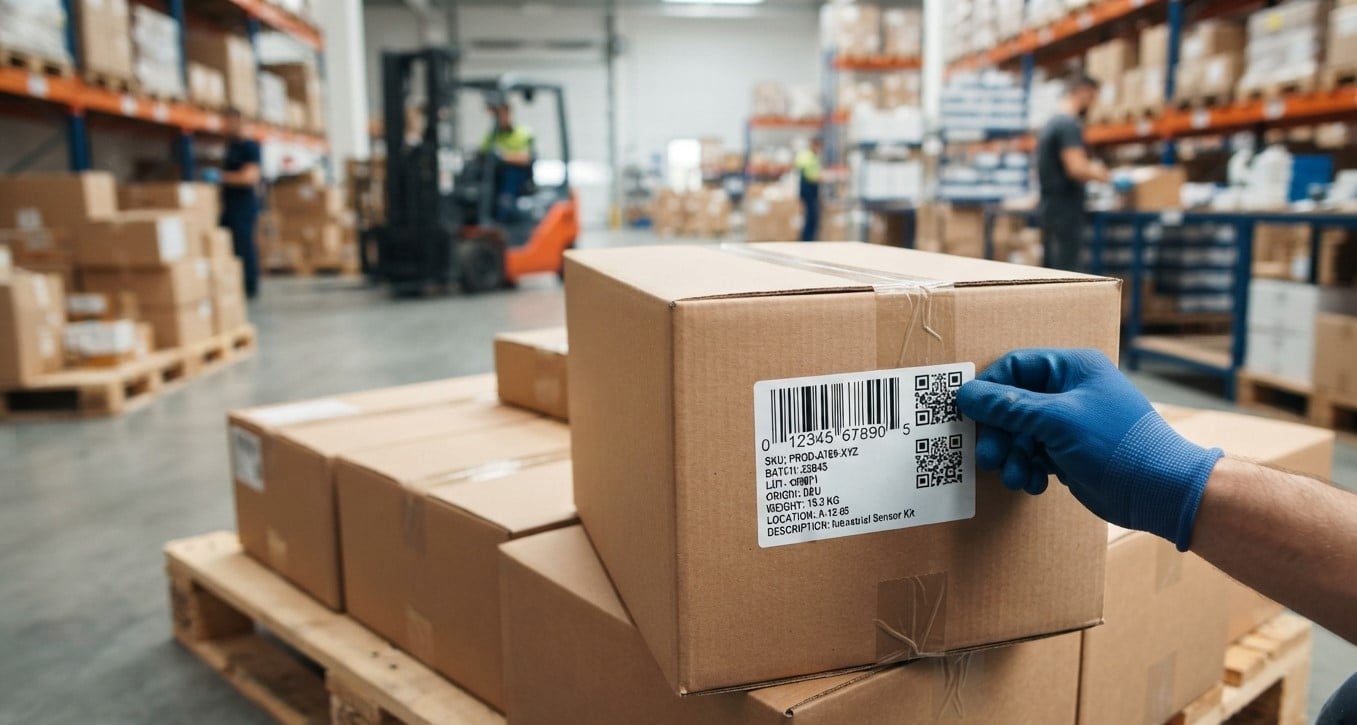
Accurate product tracking is essential for businesses that manage inventory, process orders, store goods, or distribute products across multiple locations. One of the simplest ways to improve tracking accuracy is to create barcode labels that contain the right information. A well-designed barcode label helps employees identify products quickly, reduce manual data entry, and maintain reliable inventory records.
However, choosing the correct information for a barcode label can be challenging. Businesses must decide which details should appear as printed text, which data should be encoded in the barcode, and how to keep labels clear and easy to scan.
With the right barcode printing setup, businesses can improve traceability and streamline daily operations. Pointus Solutions helps businesses explore barcode and identification solutions, while Shop Barcode provides a destination for exploring relevant Printing Products to support product labeling and tracking needs.
In this guide, we explain what information to include on a barcode label and how to design labels that support accurate product tracking.
Table of Contents
- What Is a Barcode Label?
- Essential Information to Include on a Barcode Label
- Optional Information for Specific Industries
- Printed Text vs. Barcode Data
- How to Choose the Right Barcode Label Format
- Common Barcode Labeling Mistakes to Avoid
- Tips for Improving Product Tracking Accuracy
- Frequently Asked Questions
- Conclusion and Call to Action
1. What Is a Barcode Label?
A barcode label is a printed identification label that combines a machine-readable barcode with information about a product, package, asset, or inventory item. Barcode scanners read the encoded data and connect it to a record in an inventory management system, warehouse management system, point-of-sale system, or other business software.
Barcode labels are used in retail stores, warehouses, manufacturing facilities, healthcare organizations, and distribution centers.
Depending on the application, a barcode label may include a product number, description, batch number, serial number, expiration date, or other identifying details.
The goal is to make products easier to identify, locate, count, and track throughout their lifecycle.
2. Essential Information to Include on a Barcode Label
Not every barcode label needs the same information. The ideal design depends on the product, industry, and tracking requirements. However, several data elements are commonly useful.
2.1 Product Name or Description
A short product name or description helps employees identify an item without scanning its barcode first.
For example, a label might display:
- Product: Wireless Mouse
- Model: WM-204
- Color: Black
Descriptions should be concise and easy to read. For small products, use only the details employees need to distinguish similar items.
2.2 Unique Product Identification Number
A unique product identifier connects the physical item to its digital record. This could be an internal SKU, product ID, or another identifier used by the business.
For example, a retailer might assign the SKU WM-204-BLK to a particular wireless mouse.
Using consistent identifiers helps businesses reduce confusion between similar products and maintain accurate inventory records.
For products sold through retail supply chains, a standardized identifier such as a Global Trade Item Number (GTIN) may be appropriate.
2.3 Barcode Symbol
The barcode itself is one of the most important elements on the label. It encodes data that a compatible scanner or imaging device can read.
Common barcode types include:
- UPC and EAN: Commonly used for retail products.
- Code 128: Useful for logistics, shipping, and internal identification.
- Code 39: Often used for industrial and asset identification.
- QR codes: Can store more information than many traditional linear barcodes and can link to digital records.
Choose a barcode format that is compatible with your software, scanners, customers, and supply chain requirements.
2.4 Batch or Lot Number
Batch and lot numbers help businesses identify groups of products manufactured, processed, or received under the same conditions.
They are especially useful for food, cosmetics, pharmaceuticals, manufacturing, and other applications where traceability matters.
If a quality issue occurs, a lot number can help identify affected products and support targeted recalls or investigations.
2.5 Serial Number
A serial number identifies an individual item rather than an entire product type or batch.
Serial numbers are particularly useful for electronics, machinery, tools, equipment, and warranty management.
For example, two identical devices may share the same product SKU but have different serial numbers. This allows a business to track each device separately.
2.6 Manufacturing or Expiration Date
Manufacturing dates can help businesses trace production history, while expiration or best-before dates support stock rotation and product safety.
These dates are particularly important for perishable goods, healthcare products, and temperature-sensitive inventory.
When dates must be encoded in the barcode, select a barcode standard that supports the required data format. For example, certain GS1 barcodes can encode batch numbers, serial numbers, and expiration dates using defined application identifiers.
Always follow applicable industry regulations and customer requirements.
2.7 Quantity or Packaging Information
Quantity information can be useful for cartons, cases, multipacks, and warehouse inventory.
A label might indicate that a carton contains 24 units or that a package contains 10 components.
Make sure the barcode identifies the correct packaging level. A barcode assigned to an individual product should not be confused with the identifier for a carton containing multiple products.
3. Optional Information for Specific Industries
Some businesses need additional information to support specialized tracking workflows.
Warehouse and Distribution
Warehouse labels may include:
- Warehouse location or bin code
- Pallet or carton ID
- Receiving or dispatch reference
- Purchase order number
- Shipment identification number
These details help staff locate inventory, manage transfers, and process shipments efficiently.
Retail and E-Commerce
Retail and e-commerce labels may include:
- SKU or product identifier
- Variant information, such as size or color
- Price, where appropriate
- Order or shipment reference
- Return tracking identifier
Prices and order details should be included only when they support the intended workflow. Avoid adding unnecessary text that makes the label crowded.
Manufacturing
Manufacturing labels may include:
- Work order number
- Production line or facility code
- Component identification
- Inspection status
- Production date or batch number
These details can help connect finished goods and components to their production records.
Asset Management
For fixed assets and reusable equipment, labels may include:
- Asset ID
- Department or assigned location
- Equipment category
- Service or inspection reference
Avoid printing sensitive information on publicly visible labels. Where detailed records are required, store them in the asset management system and retrieve them by scanning the asset identifier.
4. Printed Text vs. Barcode Data
An important barcode label design decision is determining what information should be printed as text and what should be encoded in the barcode.
Printed text allows employees to read key details directly from the label. Encoded data allows compatible devices and software to capture information quickly and consistently.
For example, a product label could display a product name and SKU in readable text while encoding the SKU in a barcode.
A QR code or a suitable two-dimensional barcode may encode additional information, depending on the standard and application. However, storing more data in a barcode does not always make tracking better. In many systems, encoding a unique identifier that retrieves a complete digital record is simpler to manage.
A practical rule is to print the information employees need to see and encode the information scanners need to capture.
5. How to Choose the Right Barcode Label Format
Once you have identified the required information, choose a label format that supports reliable scanning and daily use.
Consider Label Size
The label must provide enough space for the barcode, readable text, and any required symbols. Small products may need compact labels, while shipping cartons can accommodate larger formats.
Do not shrink a barcode so much that scanners struggle to read it.
Select the Right Material
Label material should suit the product and its environment.
- Paper labels: Often suitable for general indoor applications.
- Synthetic labels: Can offer better resistance to moisture, abrasion, and demanding conditions, depending on the material.
- Specialty labels: May be required for freezer storage, chemicals, outdoor use, or high-temperature environments.
Choose Compatible Printing Products
The printer, label material, and ribbon must work together. Direct thermal printing uses heat-sensitive labels, while thermal transfer printing uses a ribbon to transfer ink onto the label.
Selecting suitable Printing Products helps produce clear, durable labels that remain readable throughout the required tracking period.
Businesses can explore barcode-related options through Shop Barcode and review solutions suited to their printing and identification requirements.
Check Barcode Placement
Place the barcode on a flat, accessible surface whenever possible. Avoid folds, seams, curved edges, and areas that may become damaged during handling.
For cartons and pallets, consider where workers and scanners will approach the label during receiving, storage, picking, and dispatch.
6. Common Barcode Labeling Mistakes to Avoid
Even a well-chosen barcode format can fail if the label is poorly designed or incorrectly managed.
Common mistakes include:
- Using duplicate identifiers: Different products may become confused in inventory records.
- Printing unclear barcodes: Low contrast, poor resolution, or incorrect sizing can make scanning unreliable.
- Adding too much information: Crowded labels are difficult to read and may leave insufficient space for the barcode.
- Using inconsistent formats: Different label layouts across departments can slow operations.
- Ignoring environmental conditions: Moisture, heat, chemicals, and abrasion may damage unsuitable labels.
- Failing to test labels: A barcode that looks readable to the eye may not scan reliably.
- Allowing outdated data: Incorrect descriptions, lot numbers, or product records can undermine traceability.
Establishing a consistent labeling process helps prevent these problems and supports more dependable product tracking.
7. Tips for Improving Product Tracking Accuracy
Businesses can improve their barcode labeling processes by following a few practical steps.
- Standardize identifiers: Define how SKUs, serial numbers, and lot numbers are created and maintained.
- Integrate labels with business software: Generate labels using accurate product and inventory records rather than repeatedly entering information manually.
- Choose the correct barcode symbology: Confirm that the barcode meets your scanning and supply chain requirements.
- Test before large-scale printing: Scan sample labels using the equipment and software employees will use.
- Maintain printer quality: Inspect printheads, clean equipment as recommended, and monitor print darkness and alignment.
- Review label durability: Confirm that printed information remains readable under actual storage and handling conditions.
- Train employees: Make sure staff understand label placement, scanning procedures, and how to handle damaged labels.
- Audit inventory records: Regularly compare physical inventory with digital records to identify inconsistencies.
Working with an experienced provider such as Pointus Solutions can help businesses evaluate barcode printing and identification requirements and select suitable products for their operational needs.
8. Frequently Asked Questions
Q1. What is the most important information on a barcode label?
The most important information is a reliable identifier that connects the physical product to its record in the relevant business system. Depending on the application, this may be an SKU, GTIN, serial number, or asset ID.
Q2. Should product names be included on barcode labels?
Yes, when space allows and employees benefit from seeing the product name. A short description can make manual identification easier, but it should not replace a unique identifier.
Q3. Should batch and serial numbers be included on every label?
Not necessarily. Batch numbers are useful for tracking groups of products, while serial numbers identify individual items. Include them when required by your traceability process, customers, or industry regulations.
Q4. Can one barcode contain multiple pieces of information?
Yes. Certain barcode formats can encode multiple data elements. The supported information depends on the barcode type and applicable data standard.
Q5. Which barcode is best for product tracking?
There is no single best barcode for every application. UPC or EAN may suit retail products, Code 128 may suit logistics and internal tracking, and QR codes or other two-dimensional formats may suit applications that need to encode more data.
Q6. How can I make barcode labels easier to scan?
Use an appropriate barcode size, clear print quality, sufficient contrast, suitable label materials, and correct placement. Test labels with the actual scanning equipment before using them at scale.
Q7. What printing equipment is needed for barcode labels?
The right equipment depends on print volume, label material, durability requirements, and operating conditions. Options may include direct thermal or thermal transfer printers, compatible labels, ribbons where required, and barcode scanners for verification.
9. Conclusion and Call to Action
A well-designed barcode label does more than display a product code. It connects physical items with accurate digital records, supports traceability, and helps businesses manage inventory more efficiently. By selecting the right product identifier, barcode format, batch or serial details, and label materials, organizations can build a more reliable product tracking process.
The best label includes the information needed for the task without becoming crowded or difficult to scan. Standardized identifiers, compatible equipment, consistent printing practices, and regular verification all contribute to better results.
Looking for barcode labeling and printing solutions for your business? Explore Shop Barcode to discover relevant Printing Products, or visit Pointus Solutions to learn more about barcode and identification options that can support your business operations.
Choose the right labeling approach today to improve product visibility, reduce tracking errors, and support more efficient workflows.