




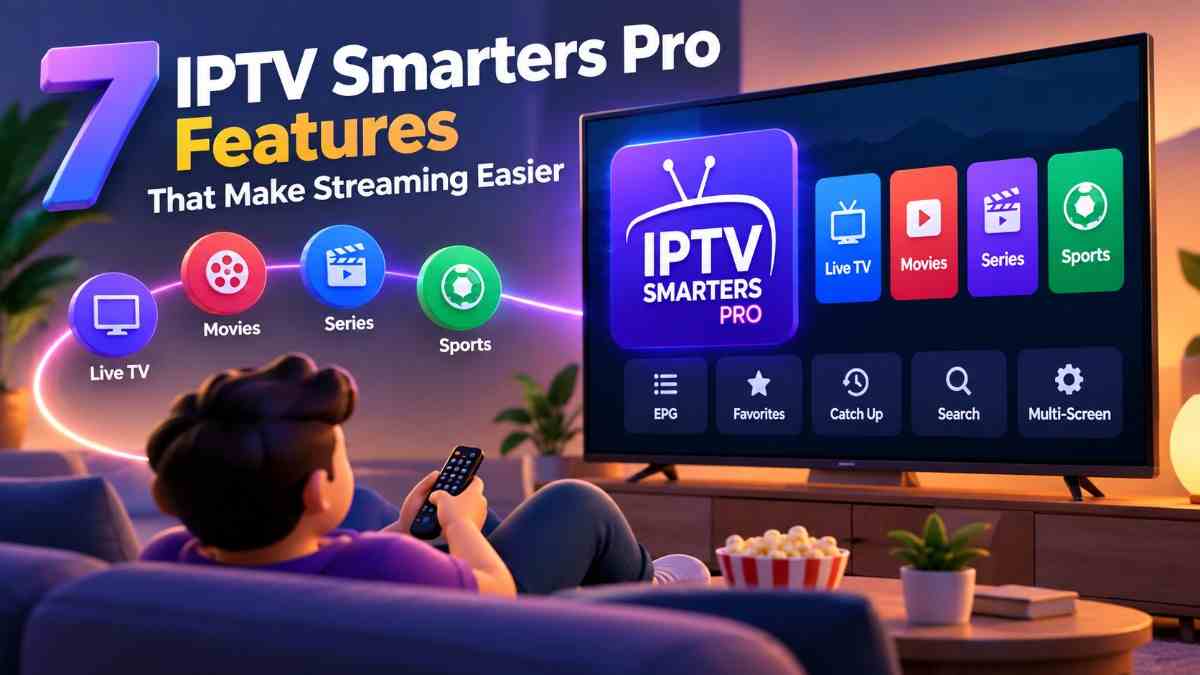
Streaming has changed the way people enjoy television, movies, and other entertainment. Instead of relying only on traditional TV services, many viewers now prefer flexible apps that help them organize and access their favorite content. IPTV Smarters is one such application that makes managing compatible IPTV services easier.
With a clean interface, useful playback options, and support for multiple devices, the app offers a convenient viewing experience. Whether you are new to IPTV or already familiar with online streaming, understanding its features can help you get more from the application.
In this guide, we will explore the main IPTV Smarters features, explain how to install and configure the app, and share practical tips for smoother streaming.
👉 Get Started With Easy Multi-Screen Viewing supppeeer
What Is IPTV Smarters?
IPTV Smarters is an application designed to help users access and organize content from compatible IPTV service providers. It provides a central place to browse available live TV channels, movies, and TV series through supported playlists or account details.
One important thing to understand is that IPTV Smarters is a media player, not a television channel provider. It does not automatically include channels, movies, or subscriptions. Users need access to a compatible service that has permission to distribute the content.
The application focuses on making online entertainment easier to navigate through organized menus and convenient playback controls.
9+ IPTV Smarters Features You Should Know
IPTV Smarters offers several useful tools that can improve everyday streaming. Here are some of the features worth exploring.
1. Simple and User-Friendly Interface
A complicated application can make streaming frustrating, especially for beginners. IPTV Smarters uses an organized layout that helps users find different sections without spending too much time searching.
Its interface generally separates available content into categories, making navigation more convenient.
Key benefits include:
- Easy-to-understand menu options.
- Organized content sections.
- Convenient access to available media.
- Simple navigation between categories.
- A comfortable experience for new users.
The straightforward design makes it easier to explore the application without needing advanced technical knowledge.
2. Live TV Streaming Support
One of the main reasons people use IPTV Smarters is its support for live television through compatible IPTV services.
Depending on the provider and playlist, users can browse available television channels and watch supported live broadcasts.
Useful options may include:
- Channel lists organized into categories.
- Quick channel selection.
- Easy switching between available channels.
- Access to supported live broadcasts.
The actual channel selection and streaming quality depend on the service provider, internet connection, and content availability.
3. Video-on-Demand (VOD) Access
Watching entertainment at a convenient time is important for many viewers. IPTV Smarters supports video-on-demand libraries supplied by compatible services.
This allows users to browse available movies and select content when they want to watch it rather than following a fixed television schedule.
Some useful advantages include:
- Browse available movie collections.
- Explore different entertainment categories.
- View available titles and descriptions.
- Start supported videos when convenient.
Remember that VOD availability depends on the connected provider and its content licensing.
4. TV Series and Episode Organization
For viewers who enjoy following television series, organized episode listings can make browsing easier.
IPTV Smarters supports series sections when the connected service provides the necessary information. Users can explore available shows and select individual episodes.
Depending on the service, this may include:
- Series names and descriptions.
- Season-based organization.
- Individual episode listings.
- Available episode information.
This feature helps keep television content organized and reduces the effort needed to find a particular episode.
5. Electronic Program Guide (EPG)
An Electronic Program Guide, commonly called EPG, helps users understand what is scheduled on supported television channels.
When the provider supplies compatible program information, the guide can display details about current and upcoming broadcasts.
EPG benefits include:
- Checking available program schedules.
- Viewing show names and descriptions.
- Understanding broadcast timings.
- Planning what to watch next.
A working EPG requires accurate schedule information from the IPTV provider.
6. Multiple Device Compatibility
People enjoy streaming on different screens depending on their preferences. IPTV Smarters has offered versions for several platforms, although availability and features can vary.
Depending on the current app version, supported platforms may include:
- Android smartphones.
- Android TV devices.
- Amazon Fire TV devices.
- Other supported television platforms.
- Selected desktop or mobile environments.
Before installing the application, check whether the version is officially available and compatible with your device.
7. External Player Support
Some users prefer a particular media player for video playback. IPTV Smarters versions may support external player options, allowing compatible content to be opened through another installed application.
This can be helpful when users want different playback controls or have specific device requirements.
However, external player compatibility depends on the application version, operating system, and media format.
8. Parental Control Options
Families may want additional control over the content accessible through their streaming applications.
Where supported, IPTV Smarters provides parental control options that can help restrict access to selected sections or content.
These settings can be useful for:
- Managing access to certain categories.
- Protecting selected sections with a PIN.
- Creating a more controlled viewing environment.
Parents should review the available settings and remember that these controls may differ between versions.
9. Multi-Screen Viewing
Some versions of IPTV Smarters offer multi-screen functionality. This option allows users to watch more than one supported stream on a single display.
It can be useful for people who want to follow multiple broadcasts at the same time.
However, the number of available screens may depend on the application version, device performance, provider restrictions, and internet speed.
10. Favorites and Content Management
Finding frequently watched channels or programs can become time-consuming when a playlist contains many entries.
Favorites and other available organization tools help users access preferred content more quickly.
Depending on the version, users may be able to:
- Save frequently watched channels.
- Organize preferred content.
- Navigate large playlists more easily.
- Reduce repeated searching.
These small conveniences can make regular use of the application more comfortable.
👉 Get Started With Easy Multi-Screen Viewing supppeeer
How to Install IPTV Smarters
Installing IPTV Smarters is generally straightforward, but the process depends on your device.
Follow these basic steps:
- Check compatibility: Confirm that your device supports the application.
- Find an official source: Look for an authorized app store or official distribution channel.
- Download the application: Select the compatible version.
- Complete installation: Follow the instructions displayed on your device.
- Open the app: Launch it after installation.
- Review the available options: Explore the interface before adding your service details.
Avoid downloading installation files from unknown websites, as they may contain unwanted or unsafe software.
How to Set Up IPTV Smarters
After installing the application, you need compatible service details to access your content.
Here is a simple setup process:
Step 1: Launch the Application
Open IPTV Smarters on your device. You may see a welcome screen with different login options.
Step 2: Select a Login Method
Depending on the version, available options may include:
- Login using an Xtream Codes API.
- Load an M3U playlist.
- Other supported connection methods.
Step 3: Enter Your Service Information
Provide the required details supplied by your authorized IPTV provider. These may include a username, password, server address, or playlist URL.
Step 4: Add Your Account
Check the information carefully before submitting it. Incorrect details can prevent the application from connecting successfully.
Step 5: Wait for Content to Load
Once the connection is successful, the application may load available channel lists, movies, series, and program information.
Step 6: Explore the Application
Browse the available sections and adjust settings according to your preferences.
Never share your account details with untrusted individuals or websites.
Main Benefits of Using IPTV Smarters
IPTV Smarters offers several practical advantages for people who already have access to a compatible IPTV service.
Here are some of its main benefits:
- Convenient navigation: Organized menus make browsing easier.
- Flexible entertainment: Access supported live TV and on-demand content.
- Device options: Use compatible versions on supported platforms.
- Better organization: Keep available channels and programs in separate sections.
- Personalized settings: Adjust supported playback and viewing preferences.
- Easy content discovery: Explore available movies, series, and broadcasts.
- Helpful viewing tools: Use features such as EPG and favorites where available.
Overall, its main advantage is bringing different types of compatible streaming content into one organized application.
Tips to Improve Your IPTV Smarters Streaming Experience
Even a good streaming application can experience interruptions when the device or internet connection is not working properly.
Try these practical suggestions to improve your experience.
Use a Reliable Internet Connection
A stable internet connection is important for uninterrupted streaming. If possible, use a wired connection or a reliable Wi-Fi network.
Keep the Application Updated
Check for official updates regularly. New versions may include performance improvements, compatibility changes, and bug fixes.
Restart Your Device
If the application becomes slow or stops responding, restarting your device can sometimes resolve temporary problems.
Check Your Playlist Details
Incorrect login information or an expired playlist may prevent content from loading. Contact your provider if your account details are not working.
Clear Unnecessary Background Apps
Running too many applications at once can affect device performance. Close programs that you are not using.
Choose Suitable Playback Settings
If your device offers different playback options, select settings that work smoothly with your internet connection and hardware.
Common IPTV Smarters Problems and Their Solutions
Users may occasionally experience technical issues. Fortunately, many common problems can be checked with a few simple steps.
| Common Problem | Possible Solution |
|---|---|
| Login failure | Check your username, password, and server details. |
| Buffering | Test your internet connection. |
| Playlist not loading | Confirm the playlist address is correct. |
| App freezing | Restart the application or device. |
| Missing program guide | Check whether your provider supplies EPG information. |
| Playback error | Try another supported player or check the media format. |
| Slow navigation | Close background applications and restart the device. |
If the problem continues, contact your service provider or check the application’s official support information.
Is IPTV Smarters Safe and Legal?
IPTV Smarters is a media player application. Its legal use depends largely on the content accessed through the connected service.
Users should choose providers that have the necessary rights and permissions to distribute their television channels, movies, and other media.
For a safer experience, follow these precautions:
- Download the app from trusted sources.
- Avoid unknown installation files.
- Use authorized content providers.
- Keep your login information private.
- Avoid suspicious links and unexpected payment requests.
- Review the privacy and security settings.
Taking these steps can help reduce security risks and support responsible streaming.
Frequently Asked Questions (FAQs)
1. Does IPTV Smarters Come With Built-In TV Channels?
No. IPTV Smarters is primarily a media player. Users need a compatible service or playlist to access television channels and other content.
2. Can I Use IPTV Smarters Without Creating an Account?
The application may offer different login methods, but accessing content generally requires compatible service details. The exact requirements depend on the version and provider.
3. Why Does My IPTV Smarters App Show a Blank Screen?
A blank screen may result from connection problems, incorrect account information, unavailable content, or temporary application errors. Check your internet connection and service details first.
4. Can I Change the Video Player in IPTV Smarters?
Some versions support external video players. Check the application settings to see which playback options are available on your device.
5. Does IPTV Smarters Support Movie Subtitles?
Subtitle support can depend on the application version, selected player, and video source. Check the playback settings while watching compatible content.
6. Why Is My EPG Information Not Showing?
EPG information may be missing because your provider has not supplied a compatible program guide or the guide has not updated correctly. Contact your provider for assistance.
7. Can IPTV Smarters Work on a Slow Internet Connection?
The application may open, but streaming quality can suffer when the connection is unstable or too slow. A reliable internet connection generally provides a better experience.
8. Is IPTV Smarters Suitable for First-Time IPTV Users?
Yes. Its organized interface and straightforward setup options can make it easier for beginners to manage a compatible IPTV service.
9. Do I Need to Update My IPTV Playlist?
Playlist updates depend on your service provider. If channels or content stop appearing, check whether your provider has issued updated connection details.
10. Can I Use the Same IPTV Account on Multiple Devices?
That depends on your IPTV provider’s subscription rules. Some services limit the number of simultaneous connections, so check the terms before using multiple devices.
👉 Get Started With Easy Multi-Screen Viewing supppeeer
Final Thoughts
IPTV Smarters provides a convenient way to organize and access content from compatible IPTV services. Features such as live TV support, VOD browsing, EPG, favorites, and playback options make it a useful choice for people who prefer a flexible streaming experience.
Getting started is relatively simple when you have the correct service details and a compatible device. For the best results, keep the application updated, maintain a stable internet connection, and choose a legitimate content provider.
With the right setup, IPTV Smarters can make browsing and managing your digital entertainment more organized and convenient.