







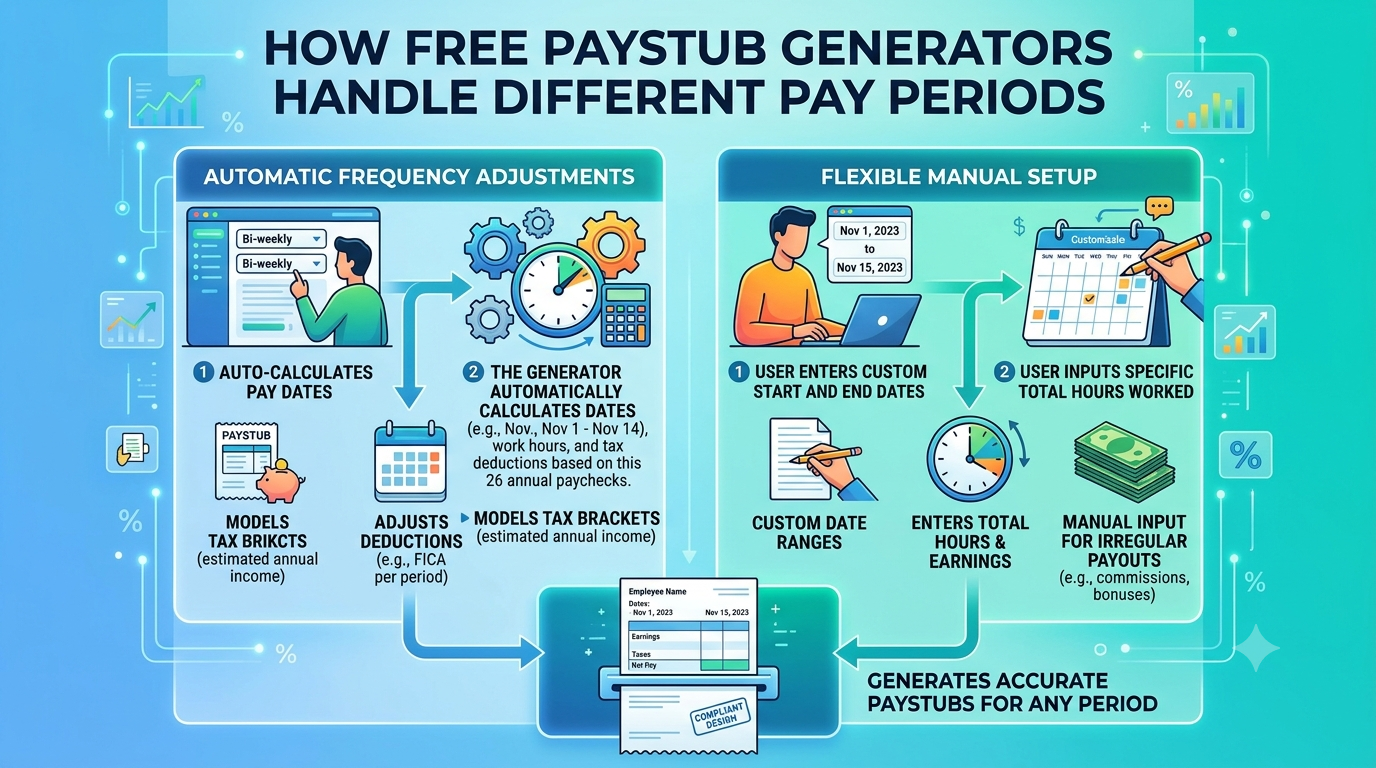
Managing payroll becomes easier when employers understand how different pay periods affect employee earnings. Businesses may pay employees weekly, biweekly, semi-monthly, or monthly. Each schedule follows a different payment frequency, so payroll calculations must match the selected period.
A free pay stub generator helps organize these details and present earnings, deductions, taxes, and net pay clearly. A free pay stub template also provides a structured format for recording payment information. When users select the correct pay frequency, these tools help create organized and easy-to-read pay stubs.
What Are Pay Periods?
A pay period refers to the specific length of time an employer uses to calculate employee wages. It determines which working days, hours, and earnings appear on a paycheck.
Employers commonly follow four payment schedules:
- Weekly: Employees receive payment once every week, usually resulting in 52 pay periods annually.
- Biweekly: Employees receive payment every two weeks, creating 26 pay periods in most years.
- Semi-Monthly: Employees receive payment twice each month, usually resulting in 24 pay periods annually.
- Monthly: Employees receive payment once each month, creating 12 pay periods annually.
A free pay stub generator allows users to enter the relevant pay period dates so the document reflects the correct payroll schedule.
How Does a Free Paystub Generator Manage Weekly Payroll?
Weekly payroll covers seven days of work. Employees who follow this schedule generally receive 52 paychecks throughout the year.
When users select weekly payment frequency, a free pay stub generator records the beginning and ending dates of the selected period. Users can enter regular hours, overtime, hourly rates, and additional earnings.
For example, an employee who works 40 regular hours at $20 per hour earns $800 in regular wages before taxes and deductions. If the employee works additional overtime hours, the applicable overtime amount must also appear in the earnings section.
A free pay stub template helps display these amounts separately, making weekly payroll records easier to review.
How Does It Calculate Biweekly Pay?
Biweekly payroll follows a two-week schedule. Employees receive 26 paychecks in most calendar years, although the exact number of payment dates can vary.
A free pay stub generator handles this schedule by recording the correct 14-day pay period. Users enter the employee’s earnings, working hours, overtime, bonuses, and applicable deductions.
For salaried employees, employers generally divide annual salary by 26 to calculate gross pay for each regular biweekly period.
For example, an employee earning $52,000 annually receives $2,000 in gross wages per biweekly pay period before deductions.
A free pay stub template can organize these earnings alongside tax information and net pay, helping employees understand each paycheck.
How Does Semi-Monthly Payroll Work?
Semi-monthly payroll provides two payments every month. Employers commonly schedule payments around the middle and end of each month.
Unlike biweekly payroll, this schedule creates 24 pay periods annually. The number of days in each period can vary because months have different lengths.
A free pay stub generator helps users enter the correct start date, end date, and payment date. For salaried employees, employers generally divide annual salary by 24 to determine gross earnings for each regular semi-monthly period.
For example, an employee earning $48,000 annually receives $2,000 in gross wages twice each month.
A free pay stub template makes it easier to separate current earnings from deductions and year-to-date totals.
How Does Monthly Payroll Handle Earnings?
Monthly payroll includes one payment for each calendar month. Employees following this schedule usually receive 12 paychecks annually.
A free pay stub generator records the monthly payroll dates and displays the employee’s earnings for that period. Users can include regular wages, bonuses, commissions, taxes, insurance deductions, and other applicable adjustments.
For salaried employees, employers generally divide annual salary by 12 to calculate monthly gross wages.
For example, an employee earning $60,000 annually receives $5,000 in gross monthly wages before deductions.
A free pay stub template helps present this information in an organized layout, allowing employees to review their monthly income and deductions.
How Do Pay Periods Affect Taxes and Deductions?
Different pay schedules change how frequently employees receive wages, but they do not automatically change their annual salary or overall tax obligations.
Employers calculate payroll taxes and deductions according to applicable federal, state, and local rules. They also consider the employee’s earnings, tax information, benefits, and deduction arrangements.
A free pay stub generator can display entered tax and deduction amounts in separate sections. However, users must verify the calculations and ensure they follow current payroll requirements.
A properly completed free pay stub template should clearly show gross earnings, deductions, taxes, and final net pay.
How to Choose the Right Free Pay Stub Template
Selecting the right format helps maintain consistent payroll records. Before using a free pay stub template, check whether it includes these important details:
- Employee and employer information
- Pay period beginning and ending dates
- Payment date
- Regular and overtime earnings
- Bonuses and additional income
- Federal and state tax deductions
- Other applicable deductions
- Net pay and year-to-date totals
A free pay stub generator can help organize these details into a readable document. Always enter accurate payroll information and review the completed record before using or sharing it.
Common Mistakes to Avoid When Recording Pay Periods
Incorrect dates, payment frequencies, or earnings can create confusing payroll records. Users should avoid selecting the wrong pay schedule or entering information from a previous period.
They should also check overtime calculations, deductions, tax amounts, and year-to-date figures. A free pay stub generator can organize entered information, but it cannot guarantee accuracy when users provide incorrect details.
Reviewing every section before finalizing a pay stub helps prevent common recording mistakes.
Conclusion
Different pay periods require different payroll schedules, but every pay stub should present accurate earnings and deductions. Weekly, biweekly, semi-monthly, and monthly schedules each have their own payment frequency and calculation method.
A free pay stub generator helps users organize payroll information according to the selected period. Meanwhile, a free pay stub template provides a consistent structure for reviewing current earnings and year-to-date totals. By entering correct dates and payroll details, users can maintain clear and organized pay records.