


Shorter Slips, Same Information: How Receipt Design Decides How Fast a Till Burns Through Paper
Most businesses treat paper use as a fixed cost. It is not. Two shops with identical customer numbers can go through very different quantities of thermal paper rolls simply because one prints a long, padded slip and the other prints a tight one. Receipt length comes from decisions made once in the till software: logo size, line spacing, promotional text, blank feeds. This article shows where paper is wasted, which layout changes cost nothing in customer experience and how to measure the saving, so you reorder less often without changing printers or suppliers.
Where the Length Comes From
A receipt is a stack of sections. Each one adds a few centimetres, and the total is what a roll must cover thousands of times.
| Section | Typical Waste |
| Header and logo | Large graphics, extra blank lines |
| Item lines | Wrapped descriptions, wide line spacing |
| Totals block | Repeated subtotals, tax detail duplicated |
| Footer messages | Long promotional or legal text |
| Feed and cut gap | Excess blank paper before the cut |
Measure first. Print a typical receipt, lay it flat and measure it. Do the same for a long one. These two numbers drive every estimate that follows.
Layout Changes That Save Paper
Small adjustments add up across a busy day.
- Shrink or remove the logo: A tall graphic can add several centimetres to every slip
- Tighten line spacing: Slightly smaller spacing keeps text readable and saves length
- Shorten item descriptions: Abbreviate long names so lines do not wrap
- Trim the footer: Keep only what is legally or practically needed
- Reduce feed before the cut: Many printers allow the blank gap to be shortened
- Merge duplicate totals: Show subtotal, tax and total once, clearly
Keep text legible. A saving that forces customers to squint is not a saving. Test with someone who has not seen the layout.
Barcodes, Offers and Messages
Promotional lines and barcodes earn their place only if they get used. A coupon barcode printed on every slip but redeemed rarely is mostly wasted paper. Consider printing offers on request, or only for qualifying purchases. Where a return policy must be shown, a short reference to a web page may serve better than several lines of text, provided your legal requirements allow it.
Print Density and Printhead Wear
Dark, dense printing is not only a paper question. Heavy density settings draw more heat, which can darken coatings unevenly and wear the printhead faster. Large black areas, such as inverted headers, are the worst offenders. Use the lowest density that gives crisp text and a scannable barcode, and print a test whenever you change paper batch, since coatings vary.
Digital Receipts as a Paper Lever
The shortest receipt is the one not printed. Many businesses now ask at the till whether the customer wants paper, email or nothing.
- Ask before printing, not after.
- Make email or text the easy default for regular customers.
- Keep printing available for those who prefer paper or need proof.
- Store transaction records digitally for your own accounts.
Check any record-keeping duties that apply to your business, since requirements differ by country and sector.
Want to read more if yes then click here
How to Measure the Saving
A simple test shows the effect before you commit.
- Print twenty receipts with the old layout and measure the total length.
- Change the layout, print twenty similar receipts and measure again.
- Divide the difference by twenty for the saving per receipt.
- Multiply by your daily receipt count and compare it with one roll’s usable length.
If a roll lasts noticeably longer, you have reduced both purchasing and changeovers, which also means fewer interruptions at the counter.
Choosing Paper That Matches the Layout
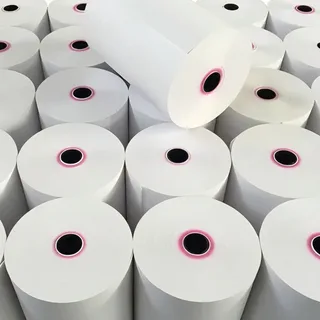
Layout and paper work together. Denser layouts need a coating that prints dark and crisp without extra heat. When you compare thermal paper, check roll length, width, outer diameter and core size against your printer, and ask for a sample. Print your real receipt, scan the barcode and look for dust or streaks before ordering in bulk.
Storage and Handling
Keep rolls sealed until use, in a cool, dry, dark place away from windows, heaters and plastics. Handle them by the edges, rotate stock so the oldest goes first and mark delivery dates on boxes. Heat and sunlight darken coatings and undo the savings you made in layout.
Cleaning and Waste
Clean the printhead monthly with isopropyl alcohol and a lint-free cloth to avoid streaks that lead to reprints. Many coated receipts are not accepted in standard paper recycling, so check local guidance. Empty cores are usually recyclable as cardboard.
Frequently Asked Questions
How much paper can a shorter layout save?
It depends on your starting layout, but trimming logos, spacing and footers can make a visible difference across thousands of receipts.
Will a smaller font hurt readability?
It can if it goes too far. Keep text legible and test with people who have not seen the layout.
Should I remove barcodes from receipts?
Only if they serve no purpose. Keep any that customers or staff use for returns or offers.
Does higher print density use more paper?
No, but it can wear the printhead faster and darken coatings. Use the lowest density that prints cleanly.
How do I reduce the blank gap before the cut?
Many printers let you adjust feed and cut settings in the driver or configuration menu.
Can I stop printing receipts completely?
Some businesses offer digital receipts by default, but check legal and customer requirements first.