






Smartphone cameras have become an important part of everyday life. People use them to capture family moments, record videos, attend virtual meetings, scan documents, and share experiences online. When a camera stops working properly, it can affect more than just photography. Blurry images, focusing problems, black screens, and unexpected camera errors can make a phone less useful. Understanding these issues can help users identify possible causes and explore suitable repair options. For people experiencing these problems, Camera Repair Westminster CO is a relevant option to consider when basic troubleshooting does not restore normal camera performance.
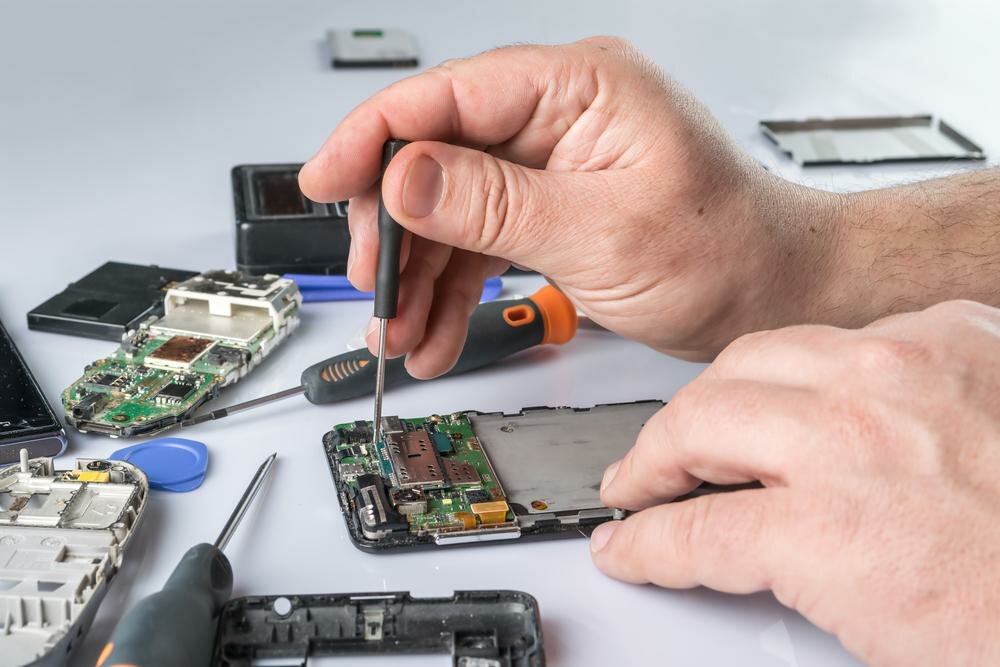
A smartphone camera is made up of several connected components, including lenses, sensors, focusing mechanisms, image processing software, and internal connectors. A malfunction in any of these areas can affect the quality of photographs and videos. Identifying the source of the problem is important before deciding whether a software adjustment or hardware repair is needed.
1. Understanding How Smartphone Cameras Work
Modern smartphone cameras use a combination of optical and digital technology to capture images. Although the camera system is small, it contains several components that must work together.
Camera Lenses and Sensors
The lens allows light to enter the camera, while the image sensor converts that light into digital information. The phone then processes the information to produce a photograph or video.
Dust, scratches, cracks, or internal damage can affect how light reaches the sensor. Even a small obstruction around the lens may reduce image clarity or create unusual spots in photographs.
Autofocus and Image Stabilization
Many smartphones use autofocus technology to keep subjects sharp. Some models also include optical or electronic image stabilization to reduce the effect of hand movement.
When these features malfunction, photographs may appear blurry or shaky. A camera that repeatedly struggles to focus may have a software issue, physical damage, or a problem with its internal focusing mechanism.
2. Common Smartphone Camera Problems
Camera problems can appear in different ways. Observing when and how the issue occurs can help narrow down its possible cause.
Blurry or Out-of-Focus Pictures
Blurry images may result from a dirty lens, poor lighting, incorrect camera settings, software problems, or damaged focusing components.
Users can begin by gently cleaning the exterior lens with a suitable microfiber cloth. They can also test the camera in different lighting conditions and check whether the problem occurs in every camera mode.
Black Camera Screen
A camera application that displays a black screen may be experiencing a software error or difficulty accessing the camera hardware.
Restarting the phone, checking application permissions, and installing available updates may help resolve some software-related issues. If the screen remains black across different camera applications, further inspection may be necessary.
3. When to Consider Camera Repair Westminster CO
Not every camera issue requires replacement of a physical component. However, persistent problems may indicate damage that needs professional attention.
Physical Lens Damage
A cracked or scratched camera lens can affect image quality and may allow dust or moisture to reach sensitive internal components. Users should avoid pressing on damaged camera glass or attempting repairs with household adhesives.
A technician can inspect the camera assembly and determine whether the exterior lens cover or another component needs attention.
Camera Failure After a Drop
A phone may continue working normally after being dropped while its camera develops problems. Internal connectors, camera modules, or focusing mechanisms may become loose or damaged during an impact.
If camera performance changes immediately after a fall, a professional diagnosis can help identify whether the problem is limited to the camera system or involves additional internal components.
4. Software Issues That Can Affect Camera Performance
Camera problems are not always caused by physical damage. The phone’s operating system and camera applications also influence how the hardware functions.
Application Errors and Permissions
A camera application may stop responding because of temporary software errors, outdated applications, or restricted permissions.
Users can review camera permissions, close and reopen the application, and restart the device. Testing the camera with another trusted application may also help determine whether the issue is limited to one program.
Operating System Updates
Software updates can improve camera compatibility and fix known performance problems. However, an incomplete update or application conflict may sometimes create unexpected behavior.
Keeping the operating system and camera applications updated can support normal operation. If a problem begins immediately after an update, checking for additional updates or manufacturer guidance may help.
5. Front Camera and Rear Camera Problems
Most smartphones include multiple cameras with different functions. The front camera is commonly used for selfies and video calls, while rear camera systems may include wide-angle, telephoto, and other specialized lenses.
Front Camera Malfunctions
Front camera problems can affect video calls, facial recognition features, and selfies. Possible symptoms include blurry images, a black screen, unusual colors, or an application that fails to switch to the front camera.
The cause may involve the camera module, software, permissions, or an internal connection. Testing the front camera in more than one application can provide useful information.
Rear Camera Malfunctions
Rear camera systems can contain multiple lenses and sensors. One camera mode may work normally while another produces blurry images or fails to open.
This can happen when a particular camera module or its connection is damaged. A careful diagnosis helps determine which part of the system is affected.
6. Protecting Your Smartphone Camera
Preventive care can help reduce the risk of camera damage and maintain image quality over time.
Use a Suitable Protective Case
A well-fitted case can help protect the phone’s camera area from scratches and impacts. Some cases include raised edges around the camera lenses to reduce direct contact with flat surfaces.
Users should make sure that the case does not cover the lenses or interfere with camera functions.
Keep the Lens Clean
Fingerprints, dust, and oily residue can reduce image clarity. Cleaning the exterior lens gently with a microfiber cloth can help maintain clear photographs.
Avoid using rough fabrics, abrasive cleaners, or excessive pressure. These can scratch the lens cover or damage nearby surfaces.
7. What to Expect During a Camera Inspection
A camera inspection helps determine whether the problem is related to software, external damage, or an internal component.
Testing Different Camera Functions
A technician may check the front and rear cameras, autofocus, flash, video recording, zoom, and available camera modes. Testing these features can help identify whether the issue affects one component or several functions.
The phone may also be checked for visible cracks, moisture exposure, and signs of impact.
Reviewing Repair Options
After identifying the likely cause, the repair provider can explain the available options. Depending on the device and the problem, the solution may involve software troubleshooting, reconnecting a component, or replacing a damaged camera module.
Customers should ask about parts, estimated costs, expected repair time, and any warranty coverage before approving the work.
8. Making Informed Decisions About Camera Repairs
A damaged smartphone camera does not always mean the entire phone needs to be replaced. The right decision depends on the device’s age, overall condition, repair cost, and availability of compatible components.
Comparing Repair and Replacement Costs
For a newer phone with a camera issue, replacing a faulty component may be a practical option. For an older device with several problems, the total repair cost may need to be compared with the price of a replacement phone.
Considering the phone’s overall performance and expected remaining lifespan can help users make a sensible decision.
Preparing Your Phone Before Service
Before taking a phone for repair, users should back up important information and understand the provider’s data privacy procedures. They should also describe when the camera problem started and whether the phone was recently dropped or exposed to moisture.
Clear information about the symptoms can help make the inspection process more efficient.
Conclusion
Smartphone camera systems depend on lenses, sensors, focusing mechanisms, software, and internal connections to capture clear photographs and videos. Problems such as blurry images, black screens, autofocus failures, and damaged lenses can have different causes. Basic troubleshooting may resolve some software-related issues, while physical damage or persistent malfunctions may require professional inspection.
When camera problems continue, Camera Repair Westminster CO can help users explore possible solutions and understand the condition of their device. Reviewing the diagnosis, repair options, component requirements, and estimated costs can make it easier to decide how to restore camera functionality.
Frequently Asked Questions
1. Why is my smartphone camera taking blurry pictures?
Blurry pictures may result from a dirty lens, poor lighting, incorrect settings, software issues, or a damaged autofocus mechanism. Cleaning the lens and testing different camera modes can help identify the problem.
2. Can a dropped phone damage its camera?
Yes. An impact can damage the camera lens, internal connectors, focusing mechanism, or camera module, even if the rest of the phone appears to work normally.
3. Why does my camera show a black screen?
A black screen may be caused by an application error, permission issue, software malfunction, or hardware damage. Restarting the phone and checking application permissions are useful initial steps.
4. Can a smartphone camera lens be repaired?
Depending on the device and damage, the exterior lens cover or the camera assembly may be replaceable. A proper inspection is needed to determine the suitable repair.
5. Why does only one camera on my phone stop working?
Smartphones with multiple cameras use separate modules for different functions. Damage or a connection problem affecting one module may cause only one camera mode to fail.
6. How can I protect my phone camera from damage?
Use a protective case with raised camera edges, avoid placing the phone on rough surfaces, keep the lens clean with a microfiber cloth, and protect the device from impacts and moisture.