






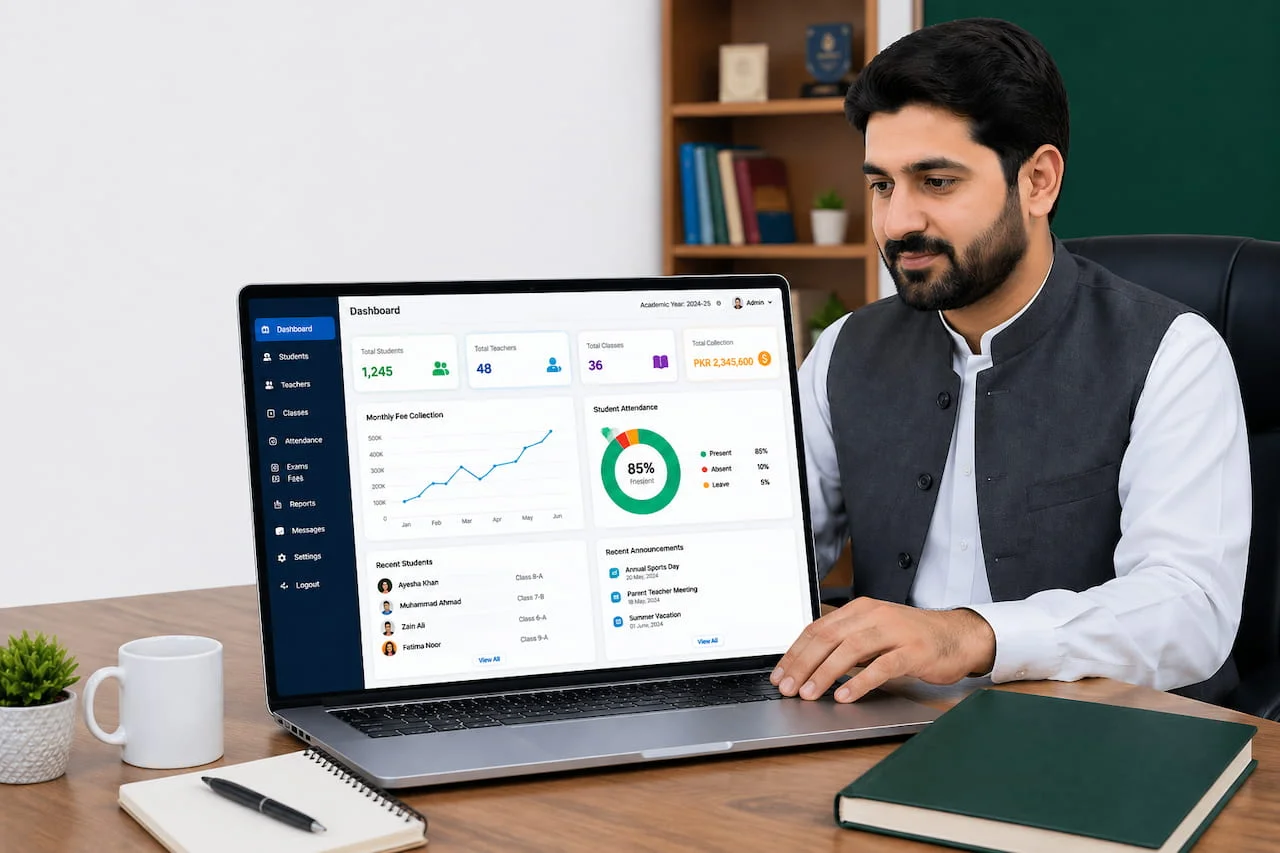
Choosing school management software is a decision your school will live with for years. Your fee records, student data and parent communication all sit inside it. Pick well and your staff save hours every week. Pick badly and you face messy data migration, unhappy teachers and a second purchase within a year or two.
This guide is written for principals, owners and administrators who are comparing options. It explains the main types of school management software, what free tools really cost, how pricing works, and the exact questions to ask before you sign.
| Quick answer
For most Pakistani schools, cloud-based school management software with per-student pricing is the most practical choice: no server to maintain, access from any device, fast setup and predictable monthly cost. Always test it with your own data during a free trial before committing. |
Types of school management software
| Type | How it works | Strengths | Watch out for |
| Desktop / on-premise | Installed on a school computer or local server | Works without internet; one-time licence possible | Hardware and IT upkeep, harder remote access, backups are your responsibility, updates may cost extra |
| Cloud / SaaS | Hosted online; you log in through a browser or app | Access anywhere, no hardware, automatic updates, quick start, easy to scale to new branches | Needs reliable internet; check data security and exit options |
| Free / open-source | Downloaded or self-hosted at no licence cost | No licence fee; flexible for technical teams | No guaranteed support, setup effort, security updates, limited local features |
The real cost of “free” school management software
Searches like “free school management software download” are very common, and free tools can work for a tiny school with a technical person on staff. But before you download one, count the costs that do not appear on the price tag:
- Your staff’s time for installation, configuration and fixing problems.
- Missing local features such as local SMS gateways, bank fee collection, or Pakistani grading and fee structures.
- No accountable support. When fee data goes wrong during admissions season, there may be nobody to call.
- Security risk. Student and family data is sensitive. Unmaintained or unofficial downloads can expose it.
- Migration pain later. Moving years of records to a paid system is harder than starting there.
A better middle path is a paid cloud product that offers a free trial, so you evaluate it without risk.
Features that matter most (and ones that can wait)
Must-have for most schools
- Student records and class management
- Fee vouchers, receipts, discounts and defaulter reports
- Daily attendance with SMS or app alerts to parents
- Exam marks entry and automatic report cards
- Role-based user access (admin, accountant, teacher, parent)
- Exportable reports in PDF and Excel
Valuable as you grow
- Parent and teacher mobile apps (ideally with your school branding)
- Biometric attendance integration
- Bank API for real-time fee posting
- HR and payroll, accounts, inventory and library
- Multi-branch management and consolidated reporting
Nice to have
- Advanced analytics and trend dashboards
- Custom modules built for your specific processes
How school management software is priced
Pricing models vary, so compare them on the same basis — your yearly total cost, not the headline number.
| Pricing model | How it works | Best for |
| Per student, per month | You pay a small amount for each enrolled student | Schools that want predictable cost that scales with enrolment |
| One-time licence | Large upfront payment, often with annual support fees | Schools with IT staff and a fixed long-term plan |
| Custom quote | Price based on branches, modules and custom needs | Multi-branch groups, colleges, universities |
For reference, eSchool lists plans starting as low as Rs 15 per student per month for a single-branch school. As a simple illustration, a school with 500 students at that starting rate would budget roughly Rs 7,500 per month. Your actual quote depends on branches, modules and customisation, so confirm the current figure on the eSchool pricing page.
Always ask what is included: setup, data import, staff training, SMS credits, mobile app branding, support hours and future updates.
15 questions to ask every vendor before you buy
- Can you demonstrate my top five workflows, not just a general demo?
- Is the software cloud-based? Where is my data stored and how is it backed up?
- How do user roles and permissions work? Can I restrict who edits or deletes records?
- Do you offer parent and teacher mobile apps? Can I see them live?
- Which SMS providers and bank collection methods are supported?
- Does it connect with my biometric machines and receipt printers?
- How is pricing calculated, and what is not included?
- Will you help import my existing student and fee data?
- Is staff training included? In what format and how many sessions?
- What are your support hours and average response time?
- Can the system handle multiple branches under one login?
- How often is the software updated, and does that cost extra?
- Can I export all my data if I decide to leave?
- Can I speak with a school similar to mine that already uses it?
- Is there a free trial, and can I use my real data during it?
How to run a 30-day free trial properly
A trial is only useful if you treat it like a real rollout. Here is a simple approach:
| Week | What to test |
| Week 1 | Set up classes, fee structures and users. Note how long setup takes and how helpful support is. |
| Week 2 | Generate fee vouchers for one or two classes, record payments and check defaulter and collection reports. |
| Week 3 | Mark attendance daily, send SMS alerts, have two or three teachers try the app and upload homework. |
| Week 4 | Enter sample exam marks, produce report cards, invite a few parents to try the parent app, then collect staff feedback. |
Red flags to watch for
- A vendor who will not let you try the software with your own data.
- Vague answers about data ownership, backups or exporting your records.
- No real customer references or testimonials you can verify.
- Pressure to sign a long contract before you have seen the apps working.
- Pricing that changes once you ask about SMS, apps, training or extra branches.
Where eSchool fits
eSchool is cloud-based school management software from SW3 Solutions, designed for schools, colleges, academies and coaching centres. The company reports 350+ schools and 350,000+ students using it. Beyond the core modules, it offers user-rights management, bank API fee collection, multiple SMS gateway integrations, biometric and thermal printer support, and parent and teacher apps on Google Play. Explore the product features and decide whether it fits your school’s workflow.
Because it is delivered as a service, there is no on-site hardware or software installation, which keeps upfront costs low and lets setup begin right away.
Frequently asked questions
What is the best school management software in Pakistan?
There is no single best option for every school. The best choice is the one that fits your size, budget and workflows, supports local needs such as SMS and bank fee collection, and offers reliable support. Shortlist two or three vendors and test each with your own data.
How much does school management software cost?
Costs vary by model. Per-student monthly pricing is common for cloud products; some vendors charge a one-time licence plus support. Compare total yearly cost including setup, SMS, training and support.
Is free school management software good enough?
It can work for very small schools with technical help, but expect limited support, more setup work and fewer local features. Many schools find a paid cloud product with a free trial a safer option.
Can I use school management software on my phone?
Cloud-based software works in a mobile browser, and many vendors also offer dedicated apps for parents and teachers. Ask to see these apps during your demo.
Does school management software work for multiple branches?
Good systems support multiple branches with separate and consolidated reporting. Confirm this and how branch pricing works before you buy.
How do I move my existing data to new software?
Prepare clean student, class and fee data in spreadsheets, then ask the vendor whether they provide import support. Check that you can also export your data later.
Conclusion
The right school management software saves time for staff, gives parents clarity and gives owners accurate numbers when they need them. Define your top workflows, compare vendors on total cost and support, and insist on a trial with real data.
Want to see how eSchool handles your school’s workflow? Request your free 30-day trial or call +92 308 461 5741 (Mon–Fri, 9:30am–6:30pm).