


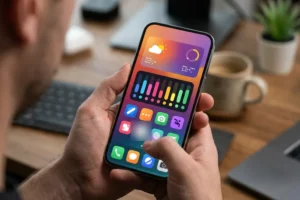





Smartphones have replaced physical wallets for numerous everyday shoppers. Tap-to-pay terminals, digital transit passes, and peer-to-peer payment applications make daily transactions fast and convenient. Leaving home without physical cash or plastic payment cards is now an established routine.
However, carrying payment instruments inside a handheld computer introduces notable security considerations. A lost or compromised mobile device exposes personal photos and messages alongside direct pathways to financial accounts and payment tokens. Securing your digital wallet requires thoughtful configuration, a clear understanding of device permissions, and cautious operational habits.
Understanding Digital Wallet Technology and Tokenization
Digital wallets do not simply store a static image or raw copy of your account credentials. Instead, modern mobile payment platforms rely on a security mechanism called tokenization. When you add a card to your device, the system contacts the payment network and replaces your primary account number with a unique virtual identifier known as a token.
This token is stored inside a dedicated hardware component within your phone, widely known as a secure element. During a contactless transaction using Near Field Communication, the phone transmits only this token and an encrypted cryptogram to the merchant terminal. Because the merchant never handles your actual account number, a data breach at a retail register cannot reveal your underlying card credentials.
While tokenization offers strong structural protection, you must still maintain awareness of how your physical and virtual accounts interact. Different card issuers establish varying rules for virtual account verification, transaction notifications, and liability protection. Readers looking to explore account structures and standard terms can review useful articles on us-creditcards.com to gain better insight into how cards function across digital ecosystems.
Configuring Mobile Operating System Defenses
The primary line of defense for any mobile payment app is the screen lock on your smartphone. Short numeric codes and basic swipe patterns are vulnerable to casual observers or surface smudges left on your display glass. Opt for a robust alphanumeric passcode or an extended numeric sequence that cannot be easily guessed.
Biometric authentication adds an essential layer of convenience and defense. Modern payment systems require fingerprint verification or facial recognition before authorizing a contactless tap or opening an account dashboard. Configure your system settings so that biometric confirmation is mandatory for every transaction, rather than relying on grace periods that keep applications unlocked after initial entry.
Operating system customization can also influence your overall device posture. Advanced users often adjust phone settings, permissions, and background processes to boost privacy and performance. If you want to refine your device environment without undermining core operating system protections, you can learn how to safely customize your Android phone while keeping critical system defenses active and stable.
Managing App Permissions and Payment App Access
Peer-to-peer payment services and mobile banking applications require careful permission audits. Many financial apps request access to contacts, location services, cameras, and local storage during initial setup. While some permissions are necessary for scanning payment codes or finding trusted contacts, you should restrict access to background location and disable microphone or Bluetooth permissions if they are not actively required.
Enable application-specific locks whenever available within your individual financial apps. Many mobile banking platforms allow you to require a separate passcode or biometric prompt each time the application opens, independent of whether the phone itself is already unlocked. This prevents someone who borrows your unlocked device to place a call from browsing your balances or initiating transfers.
Keep your device operating system and all financial applications updated. Software patches frequently resolve vulnerabilities that could otherwise allow unauthorized programs to intercept local traffic or exploit memory flaws. Enabling automatic updates ensures that you receive critical stability and security fixes as soon as developers release them.
Monitoring Transactions and Managing Digital Expenses
Active monitoring is an effective tool for spotting unexpected activity early. Most mobile wallets and card management platforms can send immediate push notifications whenever a purchase occurs. Turning these alerts on provides instant confirmation of legitimate purchases and rapid warning if an unauthorized charge goes through your account.
Digital wallets make spending effortless, but that frictionless convenience can make tracking overall cash flow more challenging. Building strong financial habits requires periodic review of your statements and recurring subscriptions. Readers interested in broader discussions on household budgeting and spending management can consult resources on mbceconomy.com to support their long-term money management routines.
Review linked payment methods regularly and remove cards you no longer use. If you switch banking providers or close an older account, delete the corresponding token from your phone wallet immediately. Maintaining a lean digital wallet minimizes potential exposure and simplifies your account tracking across platforms.
Essential Habits for Safer Mobile Checkout
Daily habits dictate how well your technical safeguards perform in real-world scenarios. Small oversights at retail checkout counters or on public networks can expose your device to unnecessary risks. Adopting structured habits helps protect your payment data during everyday shopping trips.
Here are key operational practices to observe when completing purchases with mobile payment tools:
- Disable Near Field Communication when visiting crowded public venues if your device allows manual toggling.
- Avoid conducting financial transactions or opening banking applications while connected to unencrypted public wireless networks.
- Verify recipient usernames and telephone details carefully before confirming any peer-to-peer transfer.
- Shield your display when entering backup passcodes in public checkout lines.
- Never approve unexpected payment prompts or authentication requests that appear without your initiation.
Peer-to-peer transfers deserve special caution because completed transactions are typically instantaneous and difficult to reverse. Always confirm the identity of the person you are paying, especially when buying items through online classifieds. Fraudulent actors often pressure buyers to use peer-to-peer platforms precisely because these transactions lack the traditional dispute frameworks found in credit card networks.
Preparing for Lost or Stolen Devices
Preparation is critical before a mobile device goes missing. Major mobile operating systems feature built-in remote location and management services. Verify that remote tracking and remote wiping tools are activated in your system settings today so you can act immediately if your phone is misplaced or stolen.
If your smartphone disappears, log into your cloud account from a computer and place the device in lost mode. This action instantly suspends all linked digital cards and prevents unauthorized contactless transactions. You can also issue a remote wipe command to erase stored data if recovery appears unlikely.
Finally, contact your card issuers to inform them of the missing hardware. Even though tokenized numbers are distinct from physical card numbers, card issuers can revoke digital wallet tokens from their end without needing to cancel your physical plastic cards. Taking these proactive steps ensures that mobile convenience remains safe, reliable, and firmly under your control.