



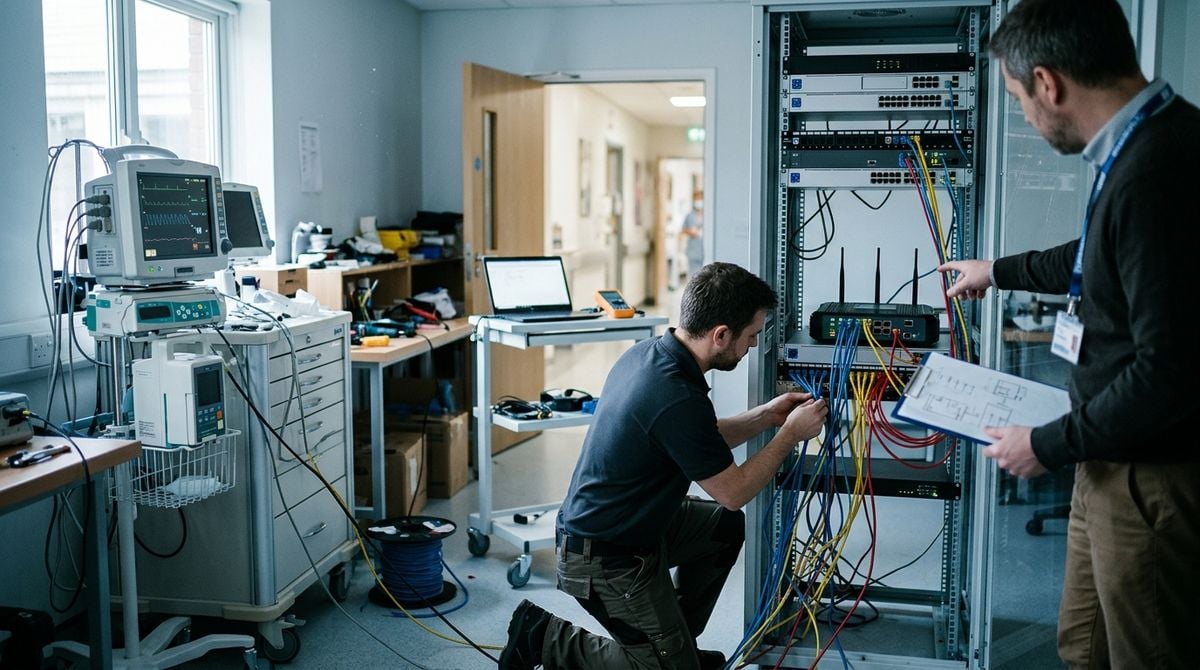
Modern technology architectures increasingly rely on decentralized hardware, branch offices, and edge nodes to process data closer to users. While cloud firewalls and encryption protocols receive significant attention, physical equipment deployed outside a centralized data center faces distinct real-world risks. Equipment rooms in branch locations often double as shared storage areas, leaving switches, local backup drives, and edge servers vulnerable to unauthorized access, accidental cable disconnections, and environmental damage. Protecting these remote hubs requires an intentional approach that treats physical security as an essential component of overall network integrity.
Assessing Physical Vulnerabilities at Distributed Sites
Before implementing physical safeguards, administrators must conduct a thorough walk-through of the physical facility where hardware resides. In many distributed environments, tech equipment sits in utility closets, under desks, or within open multi-purpose rooms. These arrangements introduce significant exposure because visitors, maintenance personnel, or cleaning staff may have unrestricted access to the room. Identifying every door, window, air vent, and ceiling crawlspace that leads into the equipment area forms the foundation of a sound defense strategy. Administrators should map out who possesses keys or access credentials and evaluate whether those permissions align with current operational needs.
Network connections entering and leaving the facility also demand scrutiny. Exposed ethernet cables running along baseboards or through drop ceilings can be unplugged, damaged, or tapped without immediate detection. As technical teams focus on securing remote development environments, aligning cloud security policies with physical premises controls becomes essential. If an unauthorized individual gains physical access to a switch or server console, standard software boundaries can be bypassed quickly. A thorough assessment documents these exposure points, clarifying where physical enclosures, lockable doors, and route protections must be prioritized.
Deploying Targeted Perimeter and Entry Monitoring
Visual oversight acts as both an active deterrent and a forensic record when securing sensitive equipment. Remote sites rarely justify full-time security guards, making automated monitoring systems indispensable. Installing monitoring units pointed directly at access doors and equipment enclosures ensures that any entry is logged visually. Time-stamped footage allows system managers to correlate unexpected system reboots or configuration changes with physical events in the room. Motion-activated sensors can also deliver immediate notifications to network administrators whenever movement occurs outside standard business hours.
Deploying surveillance hardware in leased properties or auxiliary tech spaces can be challenging due to limitations on drilling walls or running conduits. In these environments, reviewing specialized guidance on standalone and battery-powered units from bestwirelesssecuritycamera helps teams choose flexible monitoring devices that install cleanly without invasive structural work. Wire-free options with encrypted local storage or secure cloud streams can be positioned directly above equipment racks or near secondary entryways, providing continuous visibility even when building layout restricts conventional cable installations.
Pairing camera monitoring with electronic access control elevates overall site defense. Magnetic door contacts and keycard readers eliminate the vulnerabilities of standard physical keys, which can be duplicated without permission. Access control software creates an indisputable log of badge entries, making it simple to review who entered the room before an incident. When video feeds and door logs are integrated into a single dashboard, administrators can quickly verify whether an authorized staff member unlocked the door or if an unauthorized entry attempt triggered an alert.
Hardening Server Enclosures and Hardware Mounts
Once perimeter controls are established, the next layer of protection focuses on the hardware itself. Placing equipment on open shelves invites trouble from accidental bumps, spilled liquids, or intentional tampering. Lockable server cabinets and wall-mount enclosures isolate hardware from casual interference. These cabinets should feature solid side panels and reinforced locking doors with distinct keys or combination locks separate from the building master keys. Heavy floor-standing racks should be bolted directly to the concrete subfloor to prevent tipping and deter theft attempts.
Securing the internal components and connectivity requires practical mechanical deterrents that restrict physical interaction. Implementing standard physical reinforcement steps helps maintain structural stability and port integrity across all active enclosures:
- Enclose all network switches and storage appliances inside lockable steel cabinets.
- Install physical port locks on unused ethernet jacks to prevent unauthorized connections.
- Fasten power distribution units and cable organizers securely to the rack frame.
- Apply tamper-evident labels across chassis seams to reveal unauthorized hardware inspection.
Managing cable access points is equally crucial when hardening enclosures. Patch cables should enter cabinets through brush plates or sealed grommets that prevent hands or foreign objects from slipping inside. Port blockers add a physical barrier over exposed ethernet jacks, stopping visitors from plugging unauthorized laptops or rogue wireless access points directly into local subnets. Additionally, local serial console ports and universal serial bus slots on servers should be covered or disabled in firmware settings to prevent offline boot attempts.
Managing Environmental Conditions and Power Resilience
Physical security extends beyond intentional intrusion to include environmental conditions that can disable computing gear. High temperatures, unchecked humidity, and dust accumulation degrade electronic components and cause unexpected hardware failure. Small equipment closets often lack dedicated climate control, resulting in heat buildup as workloads increase. Installing independent exhaust fans and environmental monitoring sensors provides real-time visibility into temperature and moisture levels, alerting staff before thermal throttling shuts down critical services.
Power stability is another vital pillar of physical hardware resilience. Power surges, brownouts, and sudden blackouts can corrupt databases and damage sensitive storage controllers. Consulting independent technology resources like TechRegar helps technology managers stay informed about dependable power protection strategies, modular hardware architectures, and emerging diagnostic tools designed for distributed operational environments. Equipping every rack with an uninterruptible power supply ensures steady voltage regulation and gives automated systems enough runtime to conduct an orderly shutdown during prolonged power disruptions.
To maximize power resilience, critical nodes should utilize dual power supplies plugged into separate electrical circuits whenever possible. Networked power distribution units allow remote administrators to power-cycle frozen devices without dispatching a technician to the physical site. Automated power monitoring can also alert administrators to unusual spikes in electrical draw, which often signal failing components or cooling fan malfunctions. Pairing power management tools with environmental probes ensures that equipment operates within safe operating thresholds at all hours.
Establishing Incident Protocols and Routine Audits
Technical controls are only as reliable as the operating routines supporting them. Organizations must establish clear protocols for equipment maintenance, key management, and emergency response. Physical security should be audited on a recurring schedule by inspecting door latches, checking camera angles, and confirming that rack locks function smoothly. Administrators should also review user access lists to revoke permissions for departing employees or vendors whose contracts have concluded. Performing periodic drills to test battery backup transitions and camera notification feeds ensures that safety systems operate properly when real emergencies occur.
A comprehensive physical defense strategy bridges the gap between software protections and real-world hardware reliability. Safeguarding distributed technology hubs requires proactive planning, from monitoring physical entryways to securing server enclosures and stabilizing operating environments. By combining sturdy physical barriers, reliable surveillance, and regular procedural audits, organizations can build dependable operational hubs that withstand physical disruption and keep essential technology workflows running smoothly across all remote locations.