






Introduction
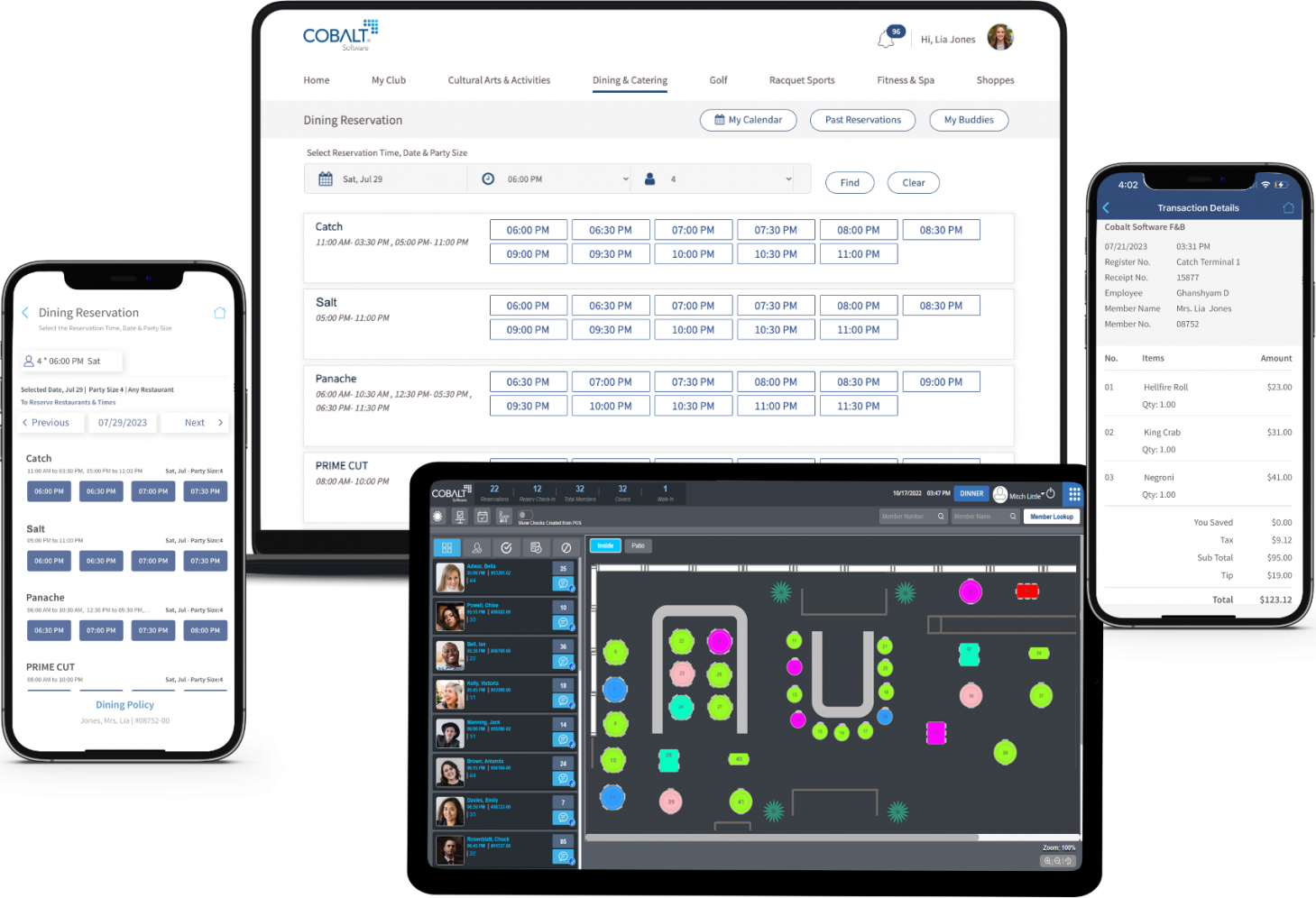
Managing a membership-based organisation involves more than storing names and collecting payments. Staff need reliable ways to coordinate bookings, service delivery, member communication, transactions and reporting. Organisations exploring member portal software should look beyond a feature list and consider how the system will support everyday workflows, reduce repetitive administration and provide useful information for managers. My Cobalt Software can be considered as part of the software evaluation process, with current product capabilities, integrations and service details confirmed directly.
The right platform depends on the organisation’s size, service model and operating priorities. A private club, salon, golf facility and racquet venue may all manage memberships, but their booking rules and customer journeys differ. Defining those needs before comparing providers makes it easier to assess whether a solution is practical for staff and straightforward for members.
Give Members a Useful Self-Service Experience
A member portal should make common tasks easier rather than simply provide another place to sign in. Members may need to update contact details, review invoices, renew memberships, register for events, book facilities, access documents or submit requests. The portal should make these tasks easy to find and usable across common devices.
List the tasks members currently complete through email or by contacting staff. Prioritise the most frequent and time-consuming activities. A portal that solves real member needs is more likely to be adopted than one filled with rarely used features.
During evaluation, ask the provider to demonstrate this workflow using realistic examples from the organisation. Include exceptions as well as routine tasks, because unusual cases often reveal whether the system is flexible enough. Document what is included, what requires configuration and what depends on an external integration. This helps the team compare solutions on practical capability rather than broad marketing descriptions.

Connect the Portal With Membership Operations
A membership club management software solution should keep portal information aligned with the organisation’s main records. When a member updates an address, pays an invoice or registers for an event, the change should appear in the appropriate workflow. Confirm whether updates are immediate, require staff approval or are processed in batches.
The portal should respect membership status and permissions. Different categories may have different access to bookings, documents, discounts or events. Review how the platform handles family accounts, dependants, guests and expired memberships where relevant.
During evaluation, ask the provider to demonstrate this workflow using realistic examples from the organisation. Include exceptions as well as routine tasks, because unusual cases often reveal whether the system is flexible enough. Document what is included, what requires configuration and what depends on an external integration. This helps the team compare solutions on practical capability rather than broad marketing descriptions.
Communication, Bookings and Payments
Useful portals can provide access to event calendars, booking schedules, announcements, invoices and payment options. Notifications may alert members about renewals, confirmations or changes, but communication preferences should be respected. The organisation should control which updates are sent and to whom.
Check whether the portal supports secure payment processing, receipts, account balances and transaction history. For bookings, confirm how availability, cancellation windows, waitlists and eligibility rules are displayed. The member-facing experience should match the policies staff use internally.

During evaluation, ask the provider to demonstrate this workflow using realistic examples from the organisation. Include exceptions as well as routine tasks, because unusual cases often reveal whether the system is flexible enough. Document what is included, what requires configuration and what depends on an external integration. This helps the team compare solutions on practical capability rather than broad marketing descriptions.
Security, Accessibility and Adoption
Portals contain personal and sometimes financial information, so authentication, role-based access, secure data handling and account recovery need careful review. Ask about encryption, backups, audit logs, privacy controls and the provider’s incident response process. Accessibility should also be considered, including readable layouts, keyboard navigation and mobile usability.
Adoption requires communication and support. Explain the portal’s purpose, provide simple instructions and give members a way to ask for help. Staff should be trained to assist with login issues and understand how portal activity appears in the administrative system.
During evaluation, ask the provider to demonstrate this workflow using realistic examples from the organisation. Include exceptions as well as routine tasks, because unusual cases often reveal whether the system is flexible enough. Document what is included, what requires configuration and what depends on an external integration. This helps the team compare solutions on practical capability rather than broad marketing descriptions.
Implementation and Continuous Improvement
Prepare membership categories, profile fields, access rules, booking permissions, payment settings and communication preferences before launch. Clean duplicate records and test the migration with a small sample. Invite a representative group of members to try the portal and report confusing steps or missing tasks.
After launch, monitor sign-ins, completed transactions, support requests and member feedback. Use those signals to improve navigation and guidance. A portal should evolve with the organisation’s services, but new features should be introduced only when they solve a defined member or staff need.
During evaluation, ask the provider to demonstrate this workflow using realistic examples from the organisation. Include exceptions as well as routine tasks, because unusual cases often reveal whether the system is flexible enough. Document what is included, what requires configuration and what depends on an external integration. This helps the team compare solutions on practical capability rather than broad marketing descriptions.
The portal should also be tested with members who have different levels of digital confidence and use different devices. Ask a small group to complete common tasks without staff assistance, then record where they hesitate or need clarification. Their feedback can guide improvements to labels, navigation and help content before the portal is promoted to the full membership.
Conclusion
Selecting member portal software should begin with the organisation’s actual workflows, policies and service priorities. A suitable membership club management software solution should connect the relevant records, bookings, payments, communication and reporting while remaining manageable for staff. My Cobalt Software can be included in the evaluation, with its current features, integrations, security information and implementation support verified directly. A requirements list and workflow-based demonstration will help the organisation make a decision based on operational fit.