







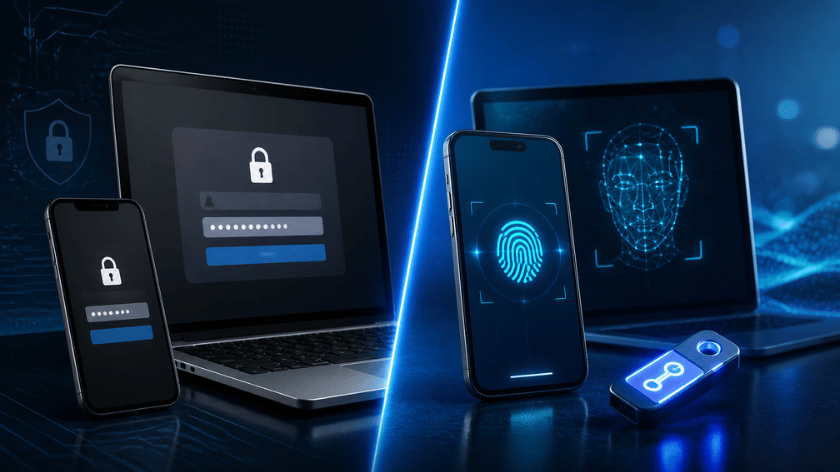
Passwords have protected online accounts for decades. However, they also create security problems for users and businesses. People reuse passwords, forget login details, and sometimes share credentials without realising the risks.
Passkeys offer a different way to access websites and applications. Instead of typing a password, users approve sign-ins through their device. They can use a fingerprint, facial recognition, or a device PIN.
This approach makes account access simpler while reducing several common security risks. Many major technology platforms now support passkeys as an alternative to traditional passwords.
But how do passkeys work? Are they safer than passwords? And should businesses make the switch?
This guide explains passkey technology, its benefits, limitations, and practical uses.
What Are Passkeys?
A passkey is a digital credential that allows users to sign in without entering a traditional password. It uses cryptographic technology to verify account ownership.
Users normally approve authentication through their device’s screen lock. This may involve a fingerprint, face scan, PIN, or pattern.
Passkeys follow FIDO standards and use public-key cryptography. Each passkey contains two related cryptographic keys:
- Public key: The website or application stores this key to verify sign-in requests.
- Private key: The user’s device or passkey provider securely stores this key.
The private key remains protected and is not shared with the website during normal authentication.
For example, imagine signing in to an online banking account. Instead of entering a password, you select your saved passkey. Your phone asks you to verify your identity using Face ID or a fingerprint.
The website checks the cryptographic response and grants access when authentication succeeds.
According to the FIDO Alliance, passkeys are designed to provide phishing-resistant authentication without requiring users to remember passwords.
How Does Passwordless Authentication Work?
Passwordless authentication replaces traditional password entry with another secure verification method.
Passkeys are one of the most widely supported approaches. They use a process involving cryptographic keys and local device verification.
Here is how the process works.
Step 1: Create a Passkey
When a website supports passkeys, users can select the option to create one.
The device or password manager generates a unique cryptographic key pair for that specific website or application.
Step 2: Store the Public Key
The website receives and stores the public key. The private key stays protected by the user’s device or passkey provider.
This means the website does not need to store a reusable password for that account.
Step 3: Start the Login Process
When the user returns, the website sends an authentication challenge.
The device uses the private key to create a digital signature after the user approves the request.
Step 4: Verify the User
The website checks the signature against the public key stored during registration.
If the signature is valid, the user gains access to the account.
The entire process usually takes only a few seconds. Users do not need to remember or type complicated passwords.
Passkeys vs Passwords: Key Differences
Both passkeys and passwords help users access online accounts. However, their security methods and login processes differ.
| Comparison | Passkeys | Traditional Passwords |
|---|---|---|
| Login method | Device verification | Typed credentials |
| Security basis | Public-key cryptography | Shared secret |
| Phishing protection | Strong resistance | Vulnerable to phishing |
| Password reuse | No password to reuse | Common user risk |
| Memory requirement | No password to remember | Users must remember credentials |
| Server storage | Public key | Password verifier or hash |
| Device support | Depends on platform and provider | Broad support |
| Account recovery | Depends on provider and backup methods | Usually reset through recovery options |
Passkeys reduce the risks associated with weak or reused passwords. They also make login easier for people who manage many online accounts.
However, passwords remain widely supported. Some websites and applications have not introduced passkey authentication yet.
Why Are Passkeys More Secure Against Phishing?
Phishing attacks trick users into sharing sensitive information. Attackers often create fake login pages that look similar to genuine websites.
A user may enter their email address and password without noticing the fake website. Attackers can then use those credentials to access the real account.
Passkeys address this problem through website-specific authentication.
A passkey created for one website cannot normally authenticate a different website. The browser and operating system check the website’s identity before allowing the passkey to work.
For example, a passkey created for a genuine banking website will not work on a fraudulent website using a similar name.
Passkeys also reduce the value of stolen website databases. The server stores a public key rather than the private credential needed to sign in.
This does not mean every account becomes impossible to compromise. Attackers may still target recovery methods, compromised devices, or passkey provider accounts.
Nevertheless, passkeys remove several weaknesses associated with password-based authentication.
Main Benefits of Passkeys for Businesses
Businesses manage customer accounts, employee logins, financial platforms, and internal applications. Weak authentication can expose these systems to unauthorised access.
Passkeys can improve account security while making daily login processes easier.
1. Reduced Phishing Risks
Employees sometimes receive fake emails asking them to verify account details. A stolen password can give attackers access to business systems.
Passkeys provide strong protection against this type of credential phishing. Authentication is linked to the genuine website or application.
2. Fewer Password Reset Requests
Forgotten passwords create additional work for IT support teams.
Employees may need help resetting credentials or unlocking accounts. Passkeys reduce the need to remember and repeatedly reset passwords.
3. Faster Employee Logins
Typing long passwords can slow down routine work. Passkeys allow employees to authenticate through supported devices.
A fingerprint or PIN can complete the process quickly.
4. Better Protection for Customer Accounts
E-commerce stores, financial platforms, and SaaS businesses handle sensitive customer information.
Passkeys can help reduce account takeover risks caused by stolen or reused passwords.
Businesses can also make login processes easier for customers who access services from different devices.
5. Lower Dependence on SMS Verification
SMS one-time passwords can be exposed through phishing, SIM-swapping attacks, or message interception.
Passkeys offer a phishing-resistant alternative. Businesses should still assess their complete authentication and recovery process before replacing existing security controls.
For additional business protection, explore our guide on protecting law firms with strong IT security solutions.
Which Devices and Platforms Support Passkeys?
Passkeys work across many modern operating systems, browsers, and password management services.
However, availability depends on the website, device, operating system, and passkey provider.
Some common examples include:
Android Devices
Android users can create and manage passkeys through supported password managers. Google Password Manager can sync compatible passkeys across supported devices.
Users generally unlock their phones using a fingerprint, face recognition, or PIN.
Apple Devices
Apple supports passkeys through iPhone, iPad, and Mac devices. iCloud Keychain can securely sync supported passkeys across a user’s Apple devices.
Users can approve sign-ins through Face ID, Touch ID, or their device passcode.
Windows Computers
Windows supports passkey authentication through Windows Hello and compatible credential providers.
Users can sign in with supported biometric methods or a PIN.
Password Managers
Some third-party password managers also support passkey storage and synchronisation.
This can help users access credentials across different operating systems, depending on the provider’s compatibility.
Before creating a passkey, check whether your device and browser support the feature. Google lists supported operating systems and browsers in its official passkey setup guidance.
Synced Passkeys vs Device-Bound Passkeys
Not all passkeys are stored in the same way. Two common types are synced passkeys and device-bound passkeys.
What Are Synced Passkeys?
Synced passkeys are available across multiple devices through a compatible passkey provider.
For example, a user may create a passkey on an Android phone. The provider can make that credential available on another supported device signed into the same account.
This makes device replacement and everyday access easier.
Synced passkeys are generally protected through encryption and the security controls of the provider.
What Are Device-Bound Passkeys?
Device-bound passkeys remain tied to a particular device or hardware security key.
They do not synchronise like regular synced passkeys.
This approach can suit organisations that need tighter control over where authentication credentials are stored.
For example, a company may require employees to use hardware security keys for access to sensitive systems.
The right option depends on the organisation’s security requirements, device policies, and recovery procedures.
Are There Any Limitations to Passkeys?
Passkeys offer important security benefits, but they are not a complete replacement for every security measure.
Businesses and individual users should understand a few limitations before switching.
1. Not Every Website Supports Passkeys
Some websites still depend entirely on traditional passwords.
Users may need to maintain passwords for accounts that have not introduced passwordless authentication.
2. Device Loss Can Create Access Problems
A user may lose a phone, laptop, or hardware security key containing a device-bound passkey.
Synced passkeys can make recovery easier when the provider supports secure restoration. Device-bound credentials may require another registered security key or account recovery method.
3. Provider Account Security Matters
Synced passkeys depend on the security of the account and service used to manage them.
If an attacker gains control of the provider account, they may attempt to access synchronised credentials.
Users should protect these accounts with strong security settings and recovery options.
4. Businesses Need Proper Management
Companies must decide how employees create, store, replace, and revoke passkeys.
IT teams also need clear procedures for lost devices, employee departures, and changes in access permissions.
5. Account Recovery Still Needs Protection
A secure login method can lose much of its value if the recovery process is weak.
Businesses should review backup email addresses, phone verification, administrator access, and identity checks.
Passkeys should form part of a wider security plan rather than operate as an isolated feature.
How to Set Up and Use a Passkey
Setting up a passkey is usually straightforward. The exact steps vary between websites and devices.
Follow this general process:
- Open a website or application that supports passkeys.
- Sign in using your existing account credentials.
- Open the account’s security or sign-in settings.
- Find the passkey or passwordless login option.
- Select the option to create a passkey.
- Choose a supported passkey provider if prompted.
- Verify your identity using your device’s screen lock.
- Confirm that the passkey has been saved successfully.
After setup, return to the website’s login page.
Select the passkey option and approve the request through your device. The website should verify your authentication without requiring a traditional password.
Keep your device updated and review the recovery options available for your account.
Should Businesses Switch From Passwords to Passkeys?
Businesses should consider passkeys when their applications and users can support the technology.
A gradual transition is often more practical than removing passwords immediately.
Start by identifying the accounts that need stronger authentication. Administrative accounts, financial systems, cloud platforms, and business email accounts may be suitable starting points.
Next, check whether the organisation’s software supports FIDO-based passkeys.
IT teams should also decide whether synced or device-bound credentials better match their security requirements.
A practical adoption plan should include:
- Platform compatibility: Check support across employee devices and business applications.
- Employee training: Explain how to create and use passkeys.
- Recovery planning: Establish procedures for lost or replaced devices.
- Access management: Remove credentials when employees leave the organisation.
- Security reviews: Check provider settings, device policies, and account recovery methods.
- Backup authentication: Maintain secure alternatives for unsupported systems.
Businesses should test the process with a small group before rolling it out across the organisation.
This helps identify compatibility issues and employee concerns early.
How Passkeys Fit Into a Wider Cybersecurity Strategy
Passkeys strengthen authentication, but businesses still need other security controls.
A company should combine secure login methods with device protection, network monitoring, software updates, and employee awareness.
For example, an employee may use a passkey to access a business application. The company should still control which devices can connect and what information each employee can access.
Organisations should also monitor unusual login activity and remove access when it is no longer required.
Regular security reviews help identify weaknesses that authentication alone cannot address.
Businesses can also review suitable monitoring apps to understand how monitoring tools support device and activity oversight. The choice should follow clear privacy and workplace policies.
Frequently Asked Questions About Passkeys
Are passkeys safer than passwords?
Passkeys offer stronger protection against phishing and password reuse. They use cryptographic keys linked to specific websites or applications. Their security also depends on device protection and account recovery controls.
Can passkeys be hacked?
Passkeys are designed to resist common credential theft and phishing attacks. However, compromised devices, stolen provider accounts, and weak recovery procedures can still create risks.
Do passkeys work across different devices?
Yes. Synced passkeys can work across compatible devices through supported providers. Users may also authenticate on another nearby device through cross-device sign-in features.
What happens if I lose my phone?
Your recovery options depend on where your passkey is stored. Synced passkeys may be restored through the provider on a replacement device. Device-bound passkeys may require another registered credential or account recovery.
Do passkeys replace two-factor authentication?
Passkeys can provide phishing-resistant authentication and combine device possession with local user verification. However, requirements vary by service and regulatory framework. Businesses should check their specific security and compliance requirements.
Can I still use passwords after creating a passkey?
Yes. Many services allow users to keep passwords alongside passkeys. The available sign-in options depend on the website or application’s settings.
Are passkeys free to use?
Creating and using a passkey is generally free when supported by a website and device. Some third-party password managers may charge for their broader services.
Conclusion
Passkeys offer a practical alternative to traditional passwords. They make sign-ins faster and reduce the risks linked to phishing, weak credentials, and password reuse.
The technology uses cryptographic keys instead of asking users to share a reusable secret with a website. Users simply approve authentication through a supported device.
For businesses, passkeys can improve employee and customer account security. However, successful adoption requires compatible platforms, secure recovery methods, and clear access policies.
Passwords will remain in use across many services for some time. Still, passkeys provide a strong option for organisations and individuals looking to improve online account protection.
TechSolution Help | Your Tech Partner for Growth.