







Big gatherings put real strain on home internet. Guests arrive with phones, tablets, and laptops, children stream videos, and someone always needs to upload photos at the same moment. A network that works well on an ordinary weekday can slow to a crawl during a family visit. This article offers practical steps to prepare your home network before guests arrive, from simple placement changes to a short checklist for the night before.
A slow connection frustrates everyone. People stop sharing, the host becomes stressed, and the reunion turns into a series of repeated questions about the password. Preparing the network is a small task that protects the mood of the whole event. A stable connection also makes video calls with relatives who cannot attend much smoother. Readers may also want to visit betterhomeguide.com.
Check your current setup
Start by testing the connection in the rooms where guests usually gather. Use a phone to run a speed test in the kitchen, the living room, and the back bedroom. Note where the signal drops. Many homes have a strong signal near the router and a weak one farther away, and that difference matters when a crowd of people goes online at once.
Also check how your internet plan is set up. If you are unsure about the speed you pay for or what your provider promises, contact the provider directly rather than guessing. Knowing your real limits helps you decide which activities to pause during the event.
Write down the results as you go, using a short note on your phone. A list such as kitchen weak, living room strong, back bedroom weak helps you decide where to seat extra guests and where to avoid large uploads. Keep the note with your router details so you can compare results after any change.
Place the router well
Put the wireless router in a central, open place, away from thick walls, metal shelves, and large appliances. Raising it a little off the floor often helps. Keep it away from microwave ovens and cordless phone bases, which can interfere with the signal. Avoid hiding the router inside a cabinet, because enclosed spaces block the signal and make the connection weaker in every room.
You can also visit huizhiseed.com for more reading. Reading one before you move the router can save a lot of trial and error.
Prepare access for guests
Good guest access keeps the main network fast for the hosts. The following steps help:
- Set up a separate guest network if your router supports one
- Write the guest password on a card placed on a table near the door
- Limit the guest network so that heavy downloads do not affect the main network
- Remove old devices from the network list that are no longer used
- Test the guest access with your own phone before anyone arrives
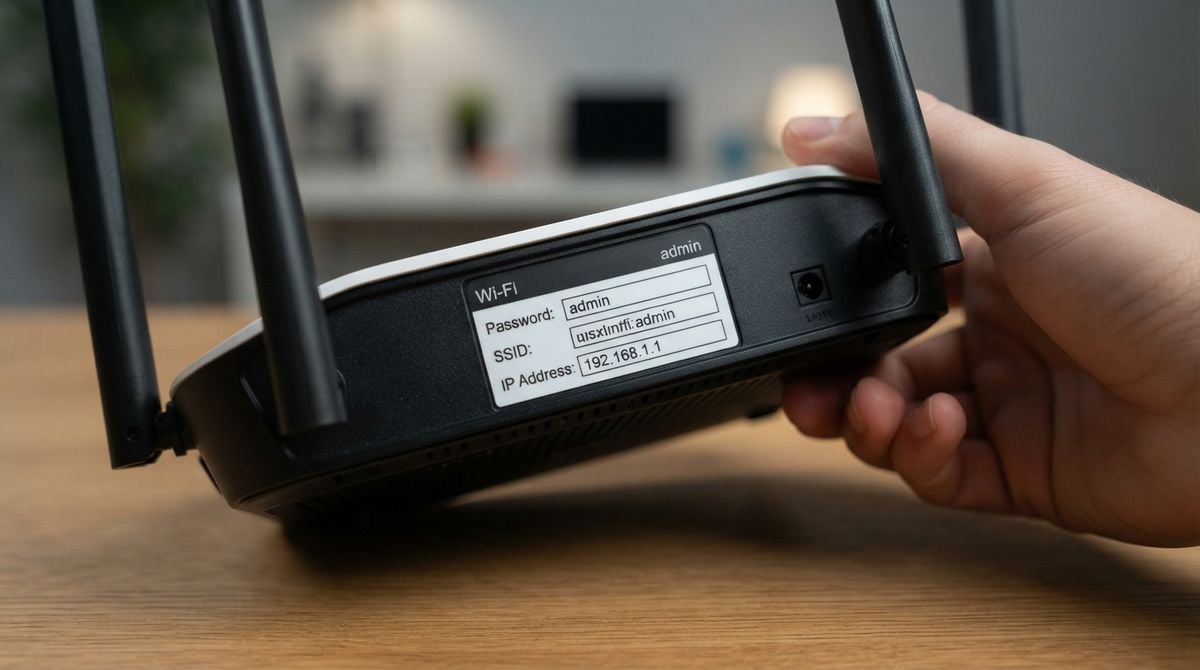
Keep the guest password simple to share but not easy to guess. Never write the main administrator password anywhere guests can see it. Keep it in a safe place at home instead. If you do not know how to set up a guest network, check your router’s manual or ask a trusted friend who knows the device.
Plan for heavy use
Decide in advance which activities need the most capacity, and who should take priority if the connection becomes crowded. Video calls, game consoles, and large file uploads can slow everything else. Ask children to pause big downloads during meals, and agree on a simple family rule about who can stream video in the living room. Schedule large uploads, such as a full album of event photos, for the quiet hours after the meal.
Restart the router and modem the morning of the event, and again if the connection feels sluggish during the day. Restarting clears small problems that build up over time. Keep the power adapter within easy reach so that a quick restart is always possible. For a related read on this site, see Tuning Smart Thermostat Remote Sensors for Balanced Comfort.
Mistakes to avoid
One common mistake is changing router settings the night before a big event. A new setting may cause problems that are hard to fix in a hurry. Another is ignoring firmware updates. Install updates a few days in advance, when you have time to test that everything still works. Keep the router’s security features turned on, and change the default administrator password if you have not already done so.
A well prepared home network makes a gathering feel relaxed. Test early, place the router thoughtfully, give guests their own access, and plan for heavy use. When the photos and video calls flow smoothly, everyone can focus on the people in the room.